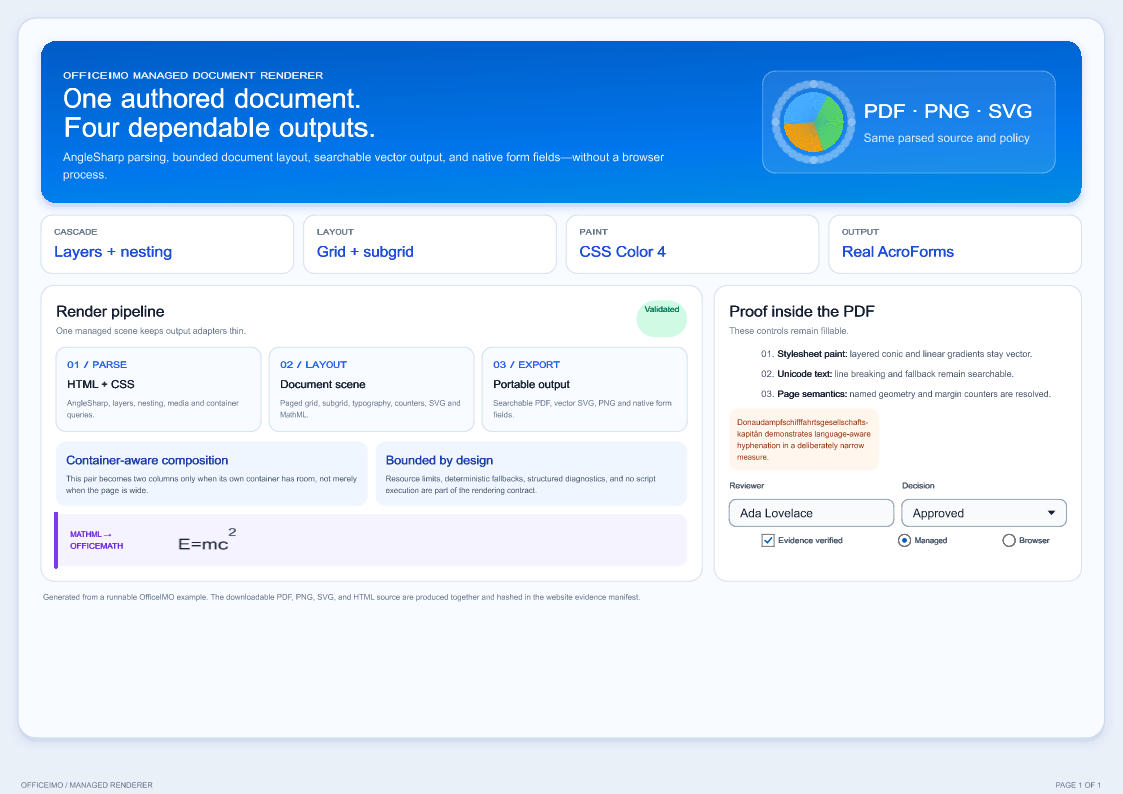
Shared HTML behavior for every converter
Browse the HTML examples for source files, rendered previews, and downloads.
OfficeIMO.Html owns HTML parsing, resource policy, base-URI resolution, accessible structure, layout scenes, and direct image rendering. Word, Excel, PowerPoint, Markdown, and focused bridge packages reuse this owner instead of implementing separate web-content rules.
using OfficeIMO.Html;

HtmlConversionDocument source = HtmlConversionDocument.Parse(
    "<h1>Status</h1><p>Generated by OfficeIMO.</p>");
byte[] png = source.ToPng(new HtmlRenderOptions { ViewportWidth = 720 });
Outputs and projections
- Render directly to PNG, JPEG, TIFF, SVG, and lossless WebP.
- Create PDF output with
OfficeIMO.Html.Pdf. - Convert semantic content to Word and Markdown through their focused adapter packages.
- Add
OfficeIMO.Html.Rtfonly for HTML/RTF conversion. - Add
OfficeIMO.Mhtmlfor bounded MHT/MHTML load and save, andOfficeIMO.Mhtml.Pdffor archive-to-PDF conversion. - Add
OfficeIMO.Email.Imageonly when an email body must be rendered to images. - Apply URL, media, size, node, and depth policies before untrusted web content enters a document workflow.
- Require a no-loss render when a static template must stay inside the declared contract; otherwise every unsupported value remains visible through stable diagnostics.
The static renderer includes paged-media margin content, running elements, page counters, row and column subgrid, basic-shape clipping, vector SVG, tagged-PDF roles, and PDF bookmarks. JavaScript and live browser state remain an explicit browser-adapter concern rather than an automatic fallback.