Search OfficeIMO

Enter a topic, API type, or PowerShell command.

OpenDocument engine

OfficeIMO.OpenDocument

Create and edit ODT, ODS, and ODP files and connect them to Office and PDF conversion workflows. Compare packages, examples, and limits.

MIT licensed No Office required Cross-platform .NET
Install dotnet add package OfficeIMO.OpenDocument
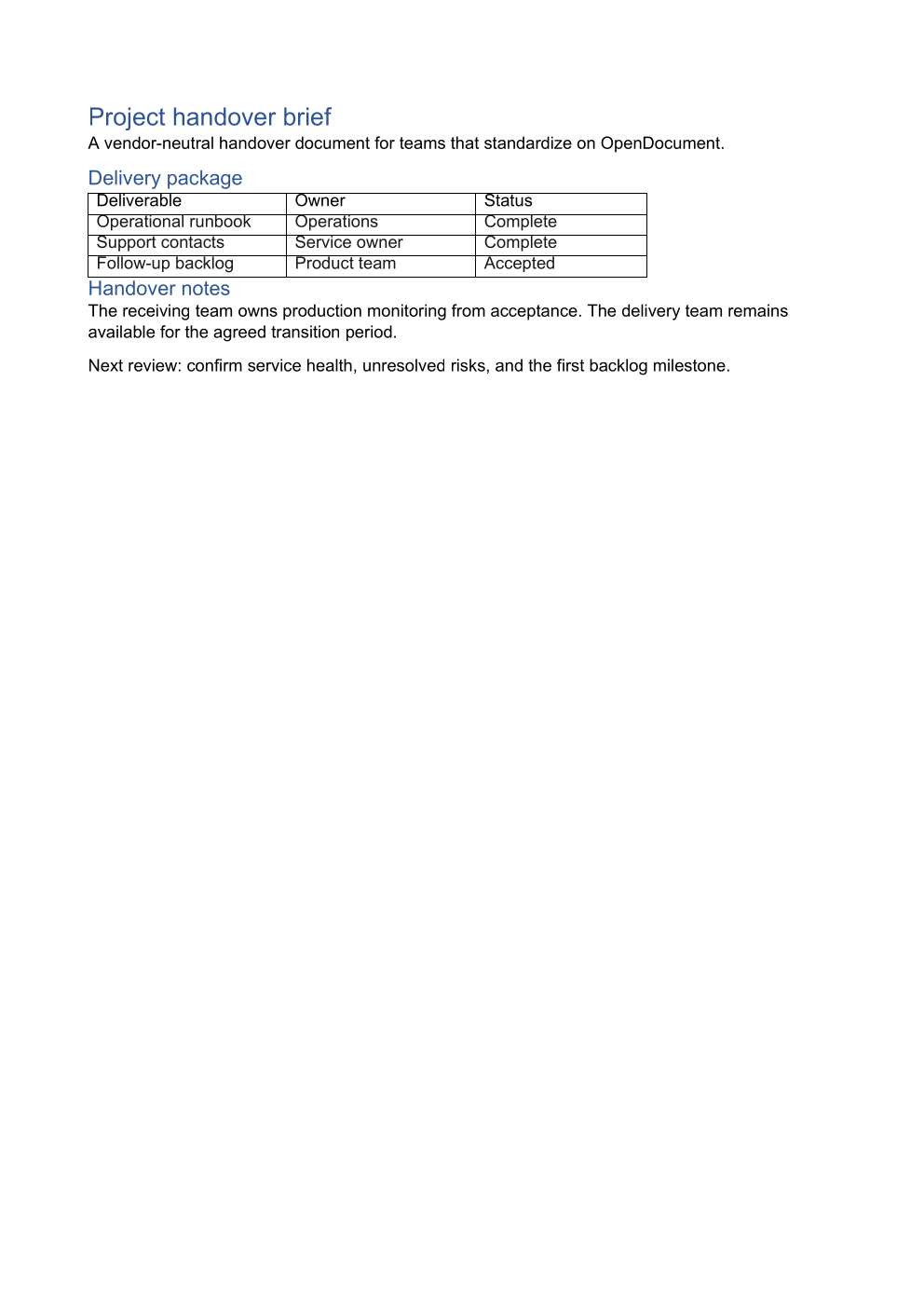
Independent first-page render of the generated OpenDocument project handover: a styled title, a shaded summary, a delivery table with green status text and a bulleted list
Portable project handover

The ODT and PDF are generated by the same runnable example. The preview independently renders the first page of the first-party OpenDocument conversion.

Download source ODT · View source · Explore the example
C# · excerpt cut from the example source; the full file is linked above
OdfColor accent = new(35, 95, 180);
OdfColor muted = new(90, 104, 122);
OdtDocument document = OdtDocument.Create();

// Footer with a live page number.
OdtParagraph footer = document.PageLayout.Footer.AddParagraph("Project handover brief - page ");
footer.AddField(OdtFieldKind.PageNumber, "1");

OdtParagraph title = document.AddHeading("Project handover brief", 1);
title.Color = accent;
title.FontSize = OdfLength.Points(24);
OdtParagraph subtitle = document.AddParagraph(
    "Billing platform migration · handover to Service Operations · accepted 14 March");
subtitle.Color = muted;

// A shaded paragraph carries the headline.
OdtParagraph summary = document.AddParagraph(
    "All four deliverables are accepted. Service Operations owns production monitoring from acceptance; " +
    "the delivery team stays available for four weeks.");
summary.BackgroundColor = new OdfColor(240, 245, 252);

document.AddHeading("Delivery package", 2).Color = accent;
string[][] package = {
    new[] { "Deliverable", "Owner", "Status" },
    new[] { "Operational runbook", "Operations", "Complete" },
    new[] { "Support contacts", "Service owner", "Complete" },
    new[] { "Monitoring dashboards", "Platform", "Complete" },
    new[] { "Follow-up backlog", "Product team", "Accepted" }
};
OdtTable table = document.AddTable(package.Length, 3, "DeliveryPackage");
for (int row = 0; row < package.Length; row++) {
    for (int column = 0; column < 3; column++) {
        table.Cell(row, column).Text = package[row][column];
        OdtParagraph cell = table.Cell(row, column).Paragraphs[0];
        if (row == 0) {
            cell.Bold = true;
        } else if (column == 2) {
            cell.Color = new OdfColor(22, 101, 52);
        }
    }
}

document.AddHeading("Open items after handover", 2).Color = accent;
OdtList items = document.AddList();
items.AddItem("Confirm service health at the two-week review.");
items.AddItem("Close the three low-priority backlog items.");
items.AddItem("Retire the migration runbook once the first month closes cleanly.");

document.AddHeading("Handover notes", 2).Color = accent;
document.AddParagraph(
    "The receiving team owns production monitoring from acceptance. The delivery team remains available for the agreed transition period.");
document.AddParagraph(
    "Next review: confirm service health, unresolved risks, and the first backlog milestone.");

OpenDocument without LibreOffice

Create and edit ODT text documents, ODS spreadsheets, and ODP presentations directly from .NET. The package does not invoke LibreOffice, Microsoft Office, or UNO.

using OfficeIMO.OpenDocument;

using OdtDocument document = OdtDocument.Create();
document.AddHeading("Summary", 1);
document.AddParagraph("Created with OfficeIMO.OpenDocument.");
document.Save("summary.odt");

Compose only what you need

PackagePurpose
OfficeIMO.OpenDocumentNative ODT, ODS, and ODP models
OfficeIMO.Word.OpenDocumentWord and ODT conversion
OfficeIMO.Excel.OpenDocumentExcel and ODS conversion
OfficeIMO.PowerPoint.OpenDocumentPowerPoint and ODP conversion
OfficeIMO.OpenDocument.Odt.PdfBidirectional ODT and PDF without Excel or PowerPoint
OfficeIMO.OpenDocument.Ods.PdfBidirectional ODS and PDF without Word or PowerPoint
OfficeIMO.OpenDocument.Odp.PdfBidirectional ODP and PDF without Word or Excel

Converters report unsupported or approximated features so a workflow can validate fidelity before it publishes the result.

Same engine, other surfaces

Use OfficeIMO another way

Next step

Turn the package into a working document.

Follow a focused guide and inspect the API reference for this package.

Example source

Download source