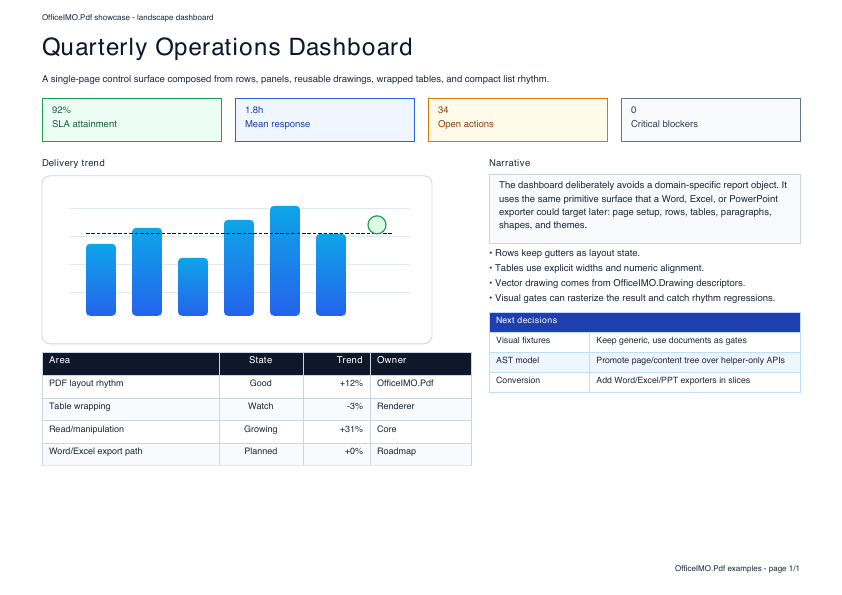
One PDF model from creation to validation
Use OfficeIMO.Pdf when a workflow must own the PDF rather than hand it to a desktop application. The package covers authoring, inspection, page operations, forms, attachments, annotations, rendering, signatures, and validation through the same first-party model.
using OfficeIMO.Pdf;

PdfDocument.Create(pdf => pdf.Content(content => content
        .H1("Quarterly report")
        .Paragraph(paragraph => paragraph.Text("Generated without Office or a browser runtime."))))
    .Meta(title: "Quarterly report", author: "OfficeIMO")
    .Save("report.pdf");
Choose the workflow you need
| Workflow | Use it for |
|---|---|
| Build | Reports, invoices, forms, labels, portfolios, and page-aware components |
| Inspect | Text, pages, links, images, attachments, outlines, forms, revisions, and active-content diagnostics |
| Transform | Merge, split, extract, reorder, rotate, stamp, watermark, overlay, and metadata changes |
| Secure | CMS-backed signatures, timestamps, certificate validation, and revision-aware inspection through OfficeIMO.Security |
| Render | Page images and format adapters used by Word, Excel, PowerPoint, HTML, RTF, and OpenDocument packages |
Complex source formats do not map perfectly to PDF in every case. Conversion results expose diagnostics so applications can decide whether an approximation is acceptable.
Try real PDF workflows in the browser
The browser document workspace runs a focused set of OfficeIMO.Pdf operations through WebAssembly. Files stay in the current tab, and every successful operation produces a downloadable artifact plus a JSON report with input and output fingerprints.
| Browser task | Result |
|---|---|
| Inspect | Page, encryption, form, annotation, attachment, active-content, signature-marker, and rewrite-readiness evidence |
| Organize | Merge PDFs, split PDFs, extract PDF pages, delete PDF pages, reorder PDF pages, and rotate PDF pages without changing the selected source files |
| Optimize | Deterministic lossless optimization and Fast Web View profiles without rasterizing pages |
| Protect or unlock | AES-256 Standard password protection, or a separate unprotected copy |
| Redact | Literal text removal followed by checks of extracted text, encoded strings, and decoded streams |
| Compare | A self-contained visual gallery with expected, actual, and highlighted page differences |
Browse every PDF workflow, open PDF tools, or download the showcase PDF used by the built-in samples.
Convert PDF content into editable formats
The workspace also exposes PDF to DOCX, detected PDF tables to XLSX, PDF to PPTX, and PDF to HTML. These are logical imports, not a promise that every fixed-position page can become the original editable source. Word reconstructs semantic content, Excel imports detected tables, and HTML supports semantic and positioned-review profiles; the browser selects positioned review so page geometry remains inspectable. PowerPoint defaults to native text boxes, detected tables, safe basic shapes, and separate supported images, with explicit visual-page, hybrid, and tables-only alternatives. Each download includes diagnostics that identify reconstructed, substituted, visual-only, truncated, or omitted content.
For application code, use the focused adapter that owns the target:
using OfficeIMO.Pdf;
using OfficeIMO.Word.Pdf;

PdfDocument pdf = PdfDocument.Load(File.ReadAllBytes("report.pdf"));
PdfWordConversionResult result = pdf.ToWordDocumentResult();
result.Value.Save("report.docx");

foreach (PdfConversionWarning warning in result.Report.Warnings) {
    Console.WriteLine($"{warning.Code}: {warning.Message}");
}
Important boundaries
- Browser files are limited to 25 MiB each, ten PDFs and 75 MiB combined for multi-file tools, 500 parsed pages, 100 split outputs, and 25 pages per visual comparison. Generated artifacts are capped at 96 MiB, with a 64 MiB serialized-PDF ceiling for split archives.
- Optimization is deliberately lossless. Scan-oriented image downsampling and other lossy compression need a separate policy and evidence contract.
- OCR and searchable-PDF generation use
OfficeIMO.Pdf.Ocrwith an explicitly configured OCR provider. They are separate .NET workflows and are not included in these browser PDF tools. See the PDF OCR API. - Password protection is not a digital signature. CMS-backed signing, timestamping, trust validation, and revision inspection remain .NET workflows through
OfficeIMO.PdfandOfficeIMO.Security. - Filling a visual signature field is also different from applying a cryptographic signature. Applications should present those actions separately.