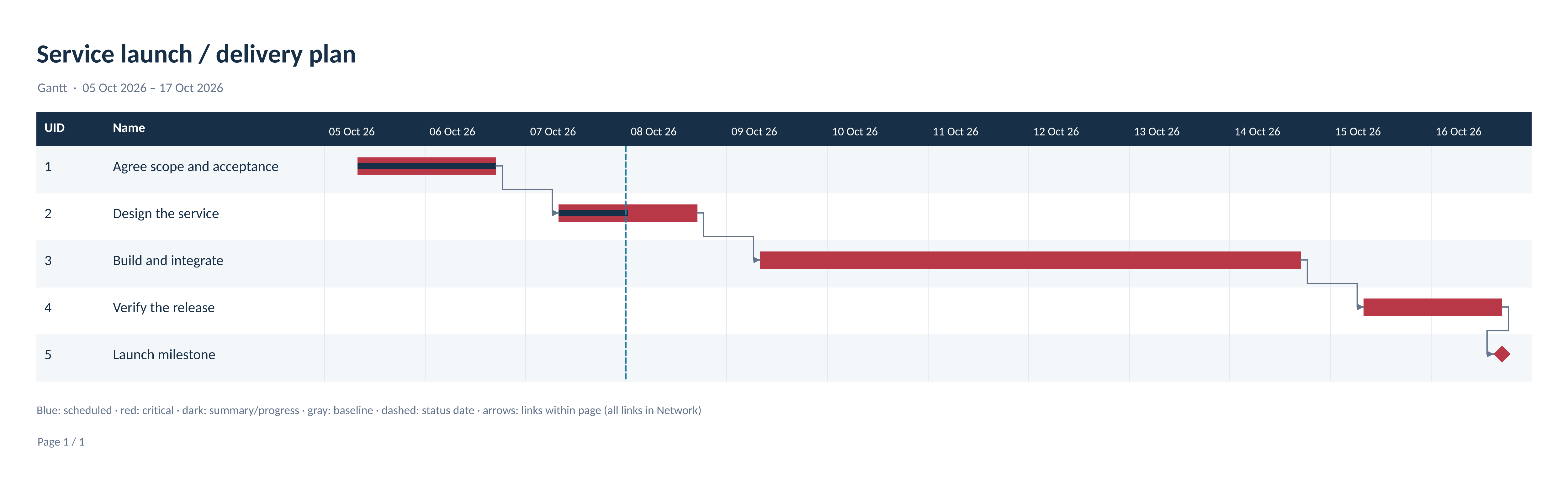
One typed model for plans, schedules, and native files
OfficeIMO.Project reads and writes Microsoft Project XML (MSPDI), native MPP/MPT files from Project 98 (generation 8), Project 2000–2003 (9), Project 2007 (12), and the modern generation 14, and MPX 4. Tasks, calendars, dependencies, resources, and assignments live in one document model. File operations and schedule calculation run without Microsoft Project, COM, a seed file, or a network connection.
using OfficeIMO.Project;

using var project = ProjectDocument.Create();
project.Name = "Delivery";
project.Settings.StartDate = new DateTime(2026, 10, 5, 8, 0, 0);
project.Calendar = project.Calendars.AddStandardWorkingWeek();

var engineer = project.Resources.AddWork("Engineer");
var phase = project.Tasks.AddSummary("Delivery");
var design = phase.Children.Add("Design");
design.Duration = ProjectDuration.WorkingDays(3);
var build = phase.Children.Add("Build");
build.Duration = ProjectDuration.WorkingDays(5);
project.Dependencies.Add(design, build);
project.Assignments.Add(build, engineer, ProjectUnits.Percent(50));

project.Recalculate(new ProjectScheduleOptions { CalculateAssignments = true });
project.Validate().ThrowIfErrors();
project.Save("delivery.xml");
Loading and saving keep stored schedule values. Calculation is explicit: CalculateSchedule returns dates and float without changing the document, and ApplySchedule or Recalculate writes them back. Before saving an edited or converted file, AssessSave reports what the target format cannot carry, and the default policy blocks that loss.
Useful for
- Generating project plans from application data with working-day durations, all four dependency kinds, constraints, and resource assignments.
- Editing existing MSPDI, MPP, or MPX files while keeping unchanged files byte-for-byte and retaining unmodeled source content.
- Calculating dates, float, work, cost, baselines, earned value, and resource leveling as separate, reviewable operations.
- Converting between XML, MPP/MPT generations, and MPX with a pre-write loss report.
- Producing Gantt, network, timeline, and usage views;
OfficeIMO.Workflowsrenders them to PDF, SVG, PNG, Word, PowerPoint, and Excel reports.
Native curves, formulas, lookups, enterprise fields, and view or style definitions stay opaque rather than decoded. Files with a read password or write reservation are rejected, macros and embedded content are inventoried but never executed, and linked projects are never fetched; external scheduling uses a caller-supplied resolver.
Start with the Project guide or check the format and operation matrix.