Markdown · C# walkthrough
An API handover guide
Give an integration team a compact guide they can keep with the code. The example brings a request, response, field contract, and handover checklist into one Markdown document.
Opens the generated download in a local browser tool. The C# example below creates the document.
- Start with
- Request fields, example payloads, and integration notes
- Generate
- MD + PDF
How it works
Show a representative request
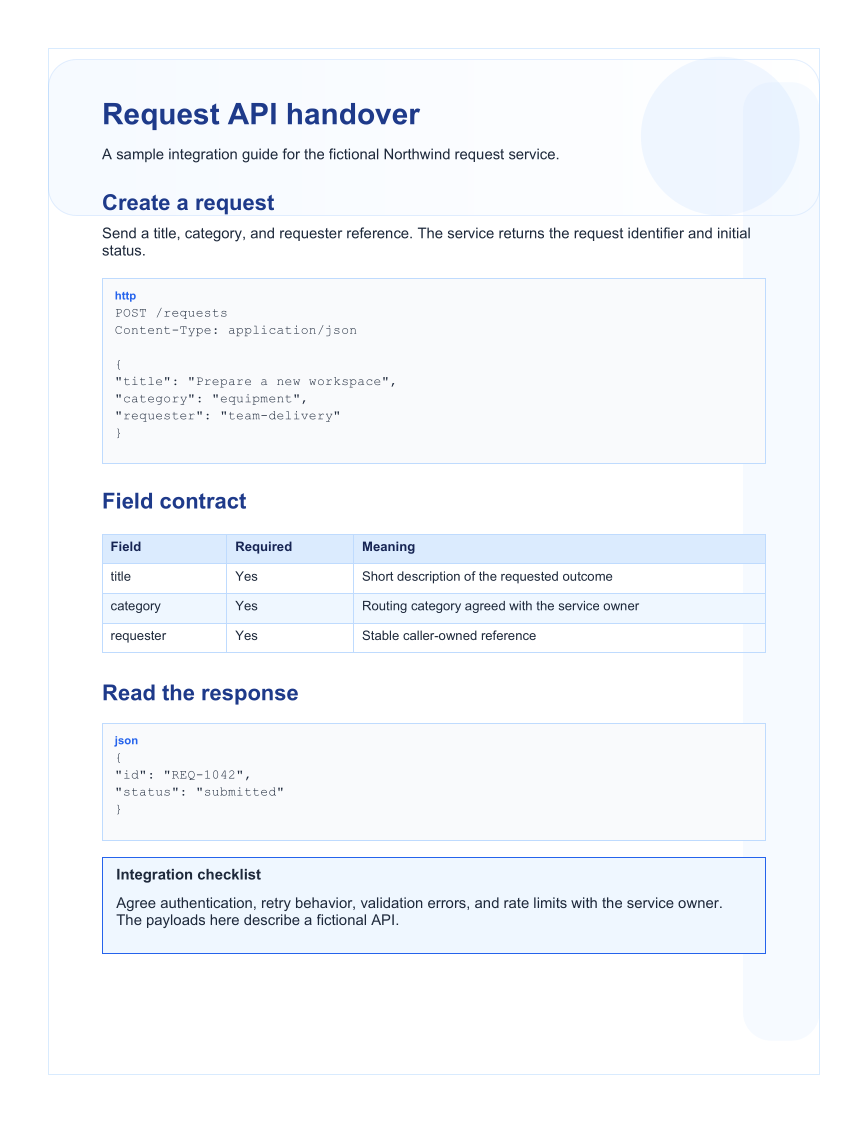
Use an HTTP code fence to keep the method, path, headers, and body together.
Explain the fields
Build a table for required fields and their meaning, then add a JSON response example.
Name the unresolved integration details
Use a note callout for authentication, retries, validation errors, and limits that must be agreed with the service owner.
The rest of the document
The C# source
The example below shows the document API and layout used for this report. Follow the Markdown guide for package setup in your own project.
using System.IO;
using OfficeIMO.Markdown;

namespace OfficeIMO.Examples.Showcase.Workflows;

/// <summary>Generates an API handover guide with request examples and a field contract table.</summary>
internal static class ApiHandover {
    internal static void Create(string folder) {
        MarkdownDocument document = MarkdownDocument.Create()
            .H1("Request API handover")
            .P("A sample integration guide for the fictional Northwind request service.")
            .H2("Create a request")
            .P("Send a title, category, and requester reference. The service returns the request identifier and initial status.")
            .Code("http", "POST /requests\nContent-Type: application/json\n\n{\n  \"title\": \"Prepare a new workspace\",\n  \"category\": \"equipment\",\n  \"requester\": \"team-delivery\"\n}")
            .H2("Field contract")
            .Table(table => table.Headers("Field", "Required", "Meaning")
                .Row("title", "Yes", "Short description of the requested outcome")
                .Row("category", "Yes", "Routing category agreed with the service owner")
                .Row("requester", "Yes", "Stable caller-owned reference"))
            .H2("Read the response")
            .Code("json", "{\n  \"id\": \"REQ-1042\",\n  \"status\": \"submitted\"\n}")
            .Callout("note", "Integration checklist",
                "Agree authentication, retry behavior, validation errors, and rate limits with the service owner. The payloads here describe a fictional API.")
            .H2("Support handover")
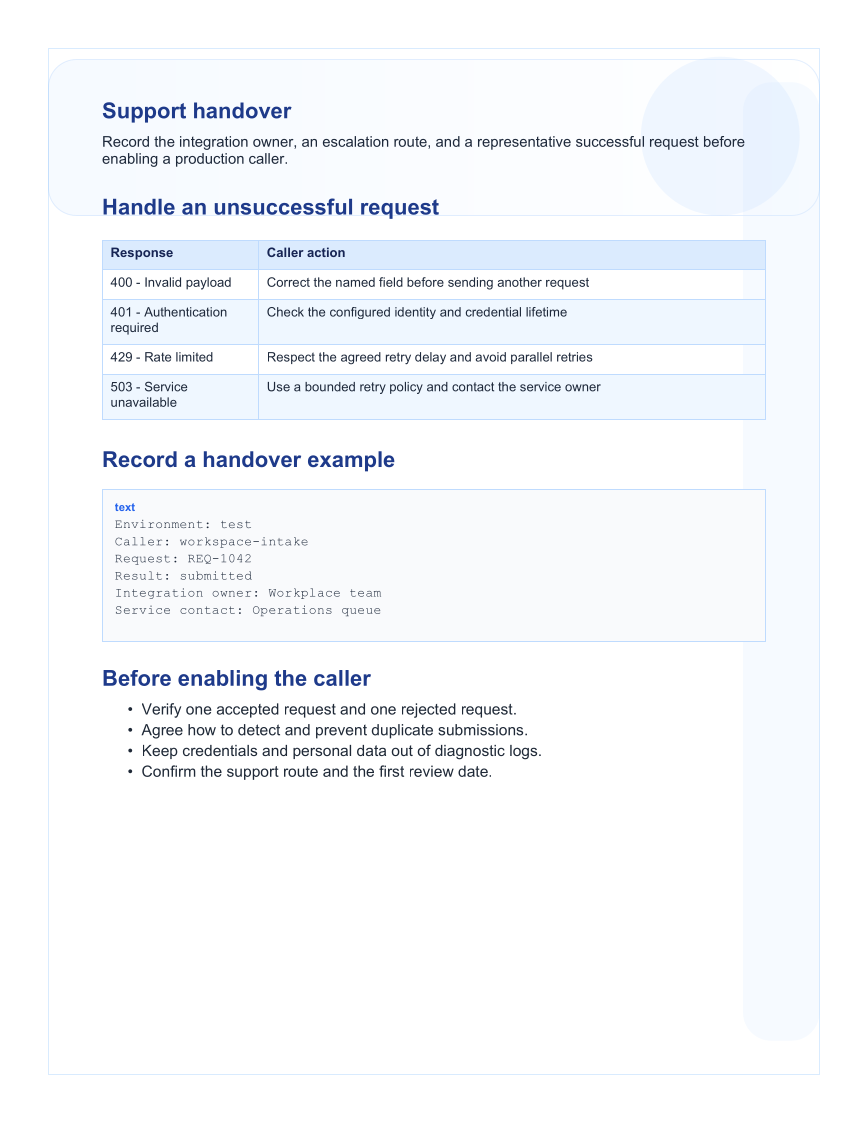
            .P("Record the integration owner, an escalation route, and a representative successful request before enabling a production caller.")
            .H2("Handle an unsuccessful request")
            .Table(table => table.Headers("Response", "Caller action")
                .Row("400 - Invalid payload", "Correct the named field before sending another request")
                .Row("401 - Authentication required", "Check the configured identity and credential lifetime")
                .Row("429 - Rate limited", "Respect the agreed retry delay and avoid parallel retries")
                .Row("503 - Service unavailable", "Use a bounded retry policy and contact the service owner"))
            .H2("Record a handover example")
            .Code("text", "Environment: test\nCaller: workspace-intake\nRequest: REQ-1042\nResult: submitted\nIntegration owner: Workplace team\nService contact: Operations queue")
            .H2("Before enabling the caller")
            .Ul(new[] { "Verify one accepted request and one rejected request.",
                "Agree how to detect and prevent duplicate submissions.",
                "Keep credentials and personal data out of diagnostic logs.",
                "Confirm the support route and the first review date." });
        File.WriteAllText(Path.Combine(folder, "example.md"), document.ToMarkdown());
    }
}
API used in this example
Use this in your project
Replace the fictional request service with examples from your real contract. Validate those payloads through the owning API tests when using this pattern for a production guide.
The Markdown guide explains package setup and related document APIs.
Documents and scope
What the preview shows
The linked C# example generates this file. The Markdown builder creates the source file. The runner exports a PDF, which is rendered for the preview.
What to keep in mind
The Northwind API is fictional. The example generates documentation and does not make network requests or validate an OpenAPI specification.