Markdown · C# walkthrough
Data dictionary from a field catalog
Keep field names, types and meaning together so data producers and consumers can agree on the same contract.
Opens the generated download in a local browser tool. The C# example below creates the document.
- Start with
- A structured field catalog for a service request export
- Generate
- MD + PDF
How it works
Define the catalog
Represent each field with its name, type, constraint and meaning in a small record.
Generate the table
Iterate the catalog in the Markdown table builder instead of writing each documentation row separately.
Explain safe consumption
Add a sample record and rules for identifiers, unknown fields, invalid values and snapshot dates.
The C# source
The example below shows the document API and layout used for this report. Follow the Markdown guide for package setup in your own project.
using OfficeIMO.Markdown;

namespace OfficeIMO.Examples.Showcase.Workflows;

/// <summary>Turns a structured field catalog into a data dictionary with constraints and a sample record.</summary>
internal static class DataDictionary {
    internal static void Create(string folder) {
        var fields = new[] {
            new Field("request_id", "string", "Required; unique", "Stable identifier, for example SR-2048"),
            new Field("status", "string", "new | active | waiting | closed", "Current workflow state"),
            new Field("owner", "string", "Required while active", "Team responsible for the next action"),
            new Field("opened_at", "datetime", "ISO 8601 UTC", "When the request entered the service"),
            new Field("age_days", "integer", "Zero or greater", "Whole elapsed days at export time")
        };
        var document = MarkdownDocument.Create()
            .H1("Service request export dictionary")
            .P("Schema 1.0 / one record per request / UTF-8 JSON Lines")
            .H2("Fields")
            .Table(table => {
                table.Headers("Field", "Type", "Constraint", "Meaning");
                foreach (var field in fields) table.Row(field.Name, field.Type, field.Constraint, field.Meaning);
            })
            .H2("Sample record")
            .Code("json", "{\n  \"request_id\": \"SR-2048\",\n  \"status\": \"active\",\n  \"owner\": \"Support\",\n  \"opened_at\": \"2026-09-01T09:00:00Z\",\n  \"age_days\": 2\n}")
            .H2("Consumer rules")
            .Ul(list => list.Item("Treat request_id as an identifier, not a number.")
                .Item("Preserve unknown fields when forwarding records.")
                .Item("Reject negative age_days and report the source record.")
                .Item("Use opened_at for time-based analysis; age_days is a snapshot."))
            .Callout("note", "Example contract", "These fields describe a fictional service export. Replace the catalog with your application's actual schema.");
        File.WriteAllText(Path.Combine(folder, "example.md"), document.ToMarkdown());
    }

    private sealed record Field(string Name, string Type, string Constraint, string Meaning);
}
API used in this example
Use this in your project
Feed the field catalog from your schema owner when one exists. Validate sample records against that schema as part of your application workflow.
The Markdown guide explains package setup and related document APIs.
Documents and scope
What the preview shows
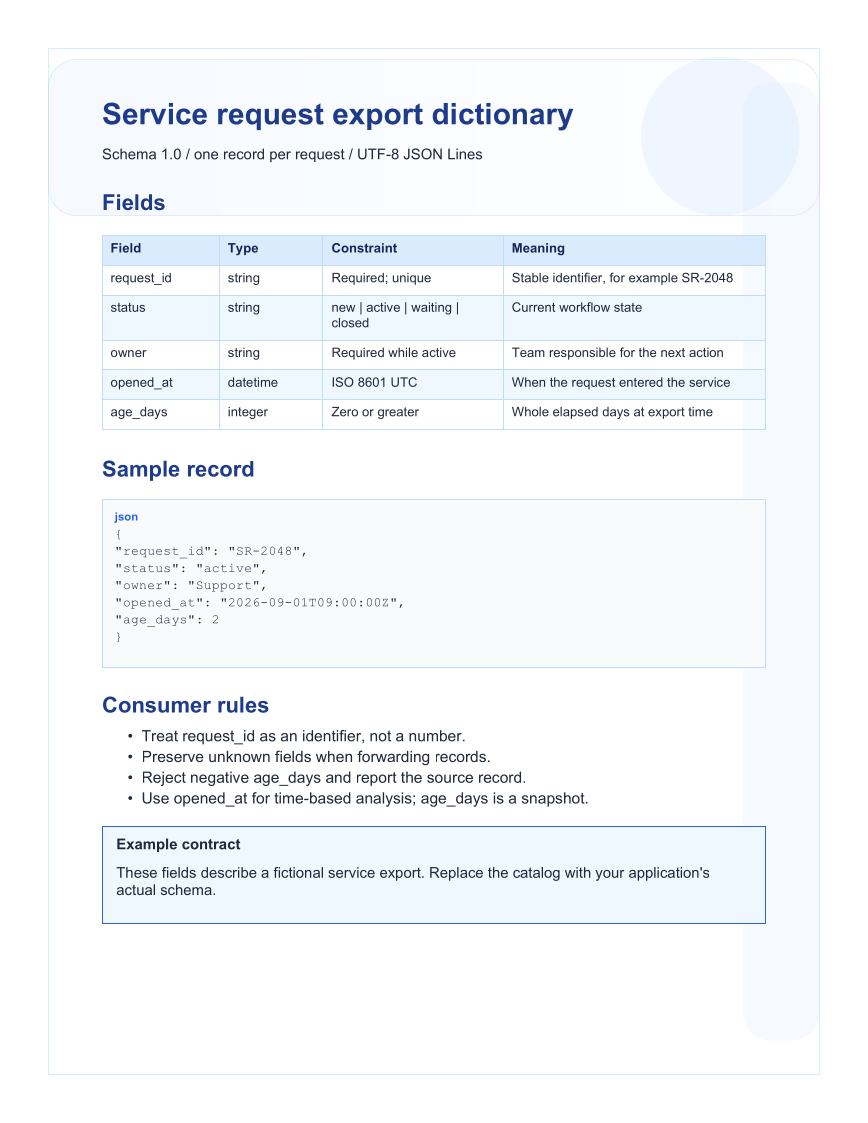
The linked C# example generates this file. The Markdown source is reloaded and exported to PDF. Each PDF page is rendered for review.
What to keep in mind
The export schema is fictional. The example generates documentation; it does not implement a JSON schema validator.