Markdown · C# walkthrough
Configuration migration guide
Give users a concrete path through a configuration change, including how to check the result before replacing a working job.
Opens the generated download in a local browser tool. The C# example below creates the document.
- Start with
- An illustrative configuration change and its migration rules
- Generate
- MD + PDF
How it works
Map the contract
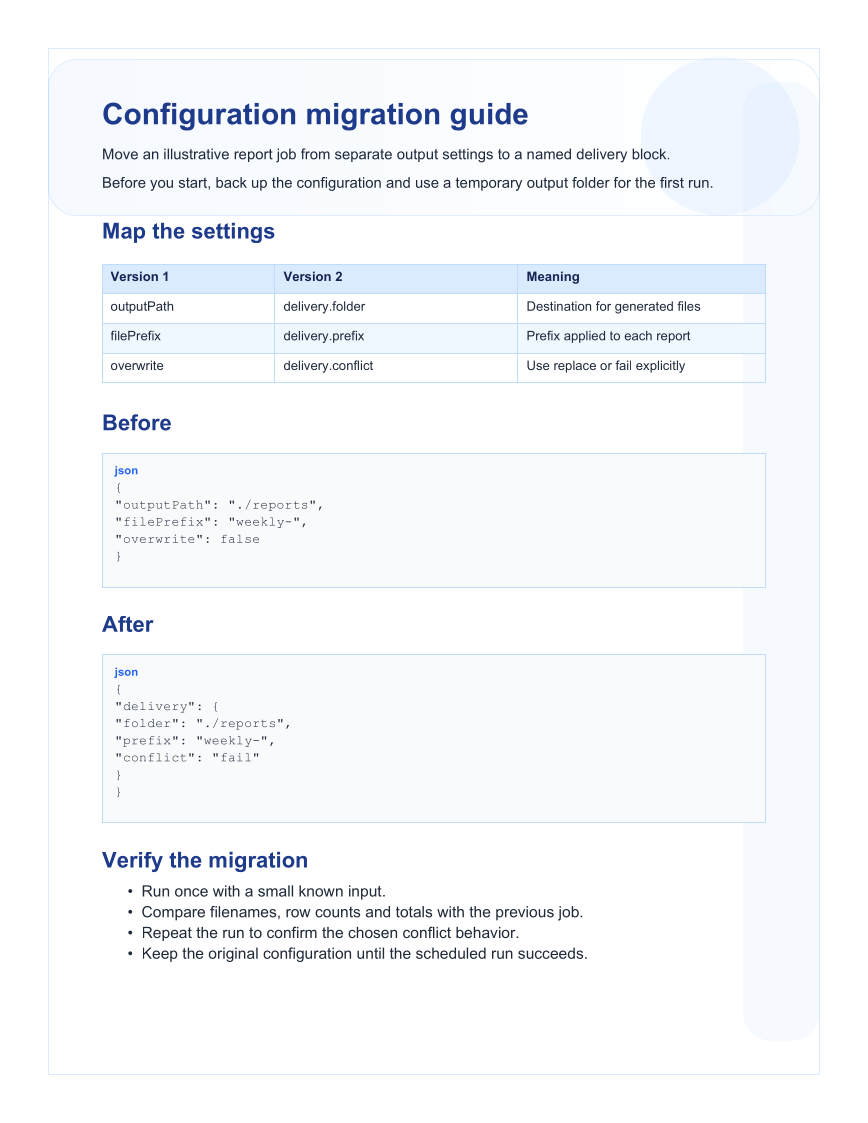
Use a table to connect old fields, new fields and their meaning.
Show complete examples
Put the before and after configurations in JSON code fences that readers can copy.
Define verification
Include small-input comparison, repeat-run behavior and a clear point at which the old configuration can be retired.
The C# source
The example below shows the document API and layout used for this report. Follow the Markdown guide for package setup in your own project.
using OfficeIMO.Markdown;

namespace OfficeIMO.Examples.Showcase.Workflows;

/// <summary>Produces a portable migration guide with explicit old-to-new mappings and a verification sequence.</summary>
internal static class MigrationGuide {
    internal static void Create(string folder) {
        var document = MarkdownDocument.Create()
            .H1("Configuration migration guide")
            .P("Move an illustrative report job from separate output settings to a named delivery block.")
            .P("Before you start, back up the configuration and use a temporary output folder for the first run.")
            .H2("Map the settings")
            .Table(table => table.Headers("Version 1", "Version 2", "Meaning")
                .Row("outputPath", "delivery.folder", "Destination for generated files")
                .Row("filePrefix", "delivery.prefix", "Prefix applied to each report")
                .Row("overwrite", "delivery.conflict", "Use replace or fail explicitly"))
            .H2("Before")
            .Code("json", "{\n  \"outputPath\": \"./reports\",\n  \"filePrefix\": \"weekly-\",\n  \"overwrite\": false\n}")
            .H2("After")
            .Code("json", "{\n  \"delivery\": {\n    \"folder\": \"./reports\",\n    \"prefix\": \"weekly-\",\n    \"conflict\": \"fail\"\n  }\n}")
            .H2("Verify the migration")
            .Ul(list => list.Item("Run once with a small known input.")
                .Item("Compare filenames, row counts and totals with the previous job.")
                .Item("Repeat the run to confirm the chosen conflict behavior.")
                .Item("Keep the original configuration until the scheduled run succeeds."));
        File.WriteAllText(Path.Combine(folder, "example.md"), document.ToMarkdown());
    }
}
API used in this example
Use this in your project
Replace the fictional configuration contract with your actual migration. Exercise the examples against the application that owns the schema.
The Markdown guide explains package setup and related document APIs.
Documents and scope
What the preview shows
The linked C# example generates this file. The Markdown source is reloaded and exported to PDF. Each PDF page is rendered for review.
What to keep in mind
The settings are a fictional application example, not OfficeIMO configuration. The PDF is a readable review copy of the Markdown.