OpenDocument · C# walkthrough
Workshop agenda in ODT and flat XML
Offer both packaged and flat XML representations of the same agenda for teams with different editing or exchange workflows.
- Start with
- Workshop timings, activities, outputs and preparation notes
- Generate
- ODT + PDF
How it works
Build the agenda
Use headings, styled time labels and preparation notes around a concrete workshop outcome.
Save the packaged document
Write example.odt for normal OpenDocument editing and sharing.
Export flat XML
Call SaveFlatXml to write example.fodt from the same document model.
The C# source
The example below shows the document API and layout used for this report. Follow the OpenDocument guide for package setup in your own project.
using OfficeIMO.OpenDocument;

namespace OfficeIMO.Examples.Showcase.Workflows;

/// <summary>Saves the same workshop agenda as packaged ODT and flat XML FODT for inspection and exchange.</summary>
internal static class OpenWorkshopAgenda {
    internal static void Create(string folder) {
        OdtDocument document = OdtDocument.Create();
        var title = document.AddHeading("Service design workshop", 1);
        title.FontFamily = "Carlito"; title.FontSize = OdfLength.Parse("26pt"); title.Color = OdfColor.Parse("#17365d");
        document.AddParagraph("90 minutes / six participants / facilitator: Jordan Lee");
        document.AddHeading("Outcome", 2);
        document.AddParagraph("Agree one request journey, identify the unresolved decisions and leave with named owners for the next actions.");
        document.AddHeading("Agenda", 2);
        Activity("00–10", "Frame the problem", "Agree the outcome and boundaries.");
        Activity("10–30", "Map the current journey", "Make handoffs and waiting points visible.");
        Activity("30–55", "Design the next journey", "Name roles and decision points.");
        Activity("55–75", "Test two scenarios", "Record exceptions and open questions.");
        Activity("75–90", "Commit next actions", "Agree owners, dates and a review point.");
        document.AddHeading("Preparation", 2);
        document.AddParagraph("Bring two anonymized requests: one routine case and one that needed several handoffs. Read the current service description before the session.");
        document.AddHeading("Capture before closing", 2);
        var close = document.AddParagraph();
        close.AddSpan("Decision / owner / due date").Bold = true;
        close.AddSpan(" — record all three for every action. Share the agenda and the resulting notes with participants.");
        foreach (var paragraph in document.Paragraphs) {
            paragraph.FontFamily = "Carlito";
            paragraph.FontSize = OdfLength.Parse(paragraph.HeadingLevel == 1 ? "26pt" : paragraph.IsHeading ? "15pt" : "11pt");
            paragraph.SpaceAbove = OdfLength.Parse(paragraph.IsHeading ? "12pt" : "0pt");
            paragraph.SpaceBelow = OdfLength.Parse("8pt");
            if (paragraph.IsHeading) paragraph.Color = OdfColor.Parse("#17365d");
        }
        document.Save(Path.Combine(folder, "example.odt"));
        document.SaveFlatXml(Path.Combine(folder, "example.fodt"));

        void Activity(string time, string title, string outcome) {
            var paragraph = document.AddParagraph();
            var label = paragraph.AddSpan(time + "  " + title + ". ");
            label.Bold = true;
            label.Color = OdfColor.Parse("#2563eb");
            paragraph.AddSpan(outcome);
        }
    }
}
API used in this example
Use this in your project
Replace the timings and activities with your session plan. Use the FODT download when a single XML file is useful for inspection or controlled exchange.
The OpenDocument guide explains package setup and related document APIs.
Documents and scope
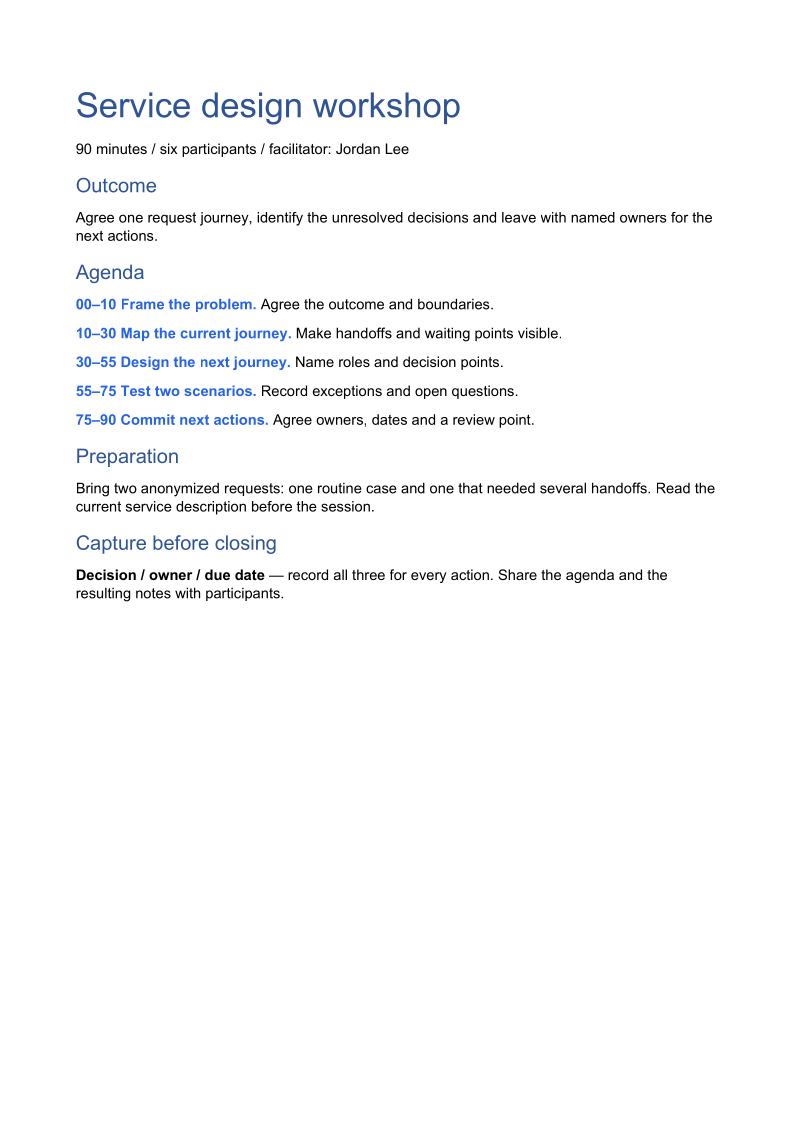
What the preview shows
The linked C# example generates this file. The runner reopens the ODT and exports a PDF review copy. Each PDF page is rendered for review.
What to keep in mind
The sample demonstrates both serializations. It does not claim that text diffs are free of generated style changes or that all editors render them identically.