PDF · C# walkthrough
Fillable maintenance job card
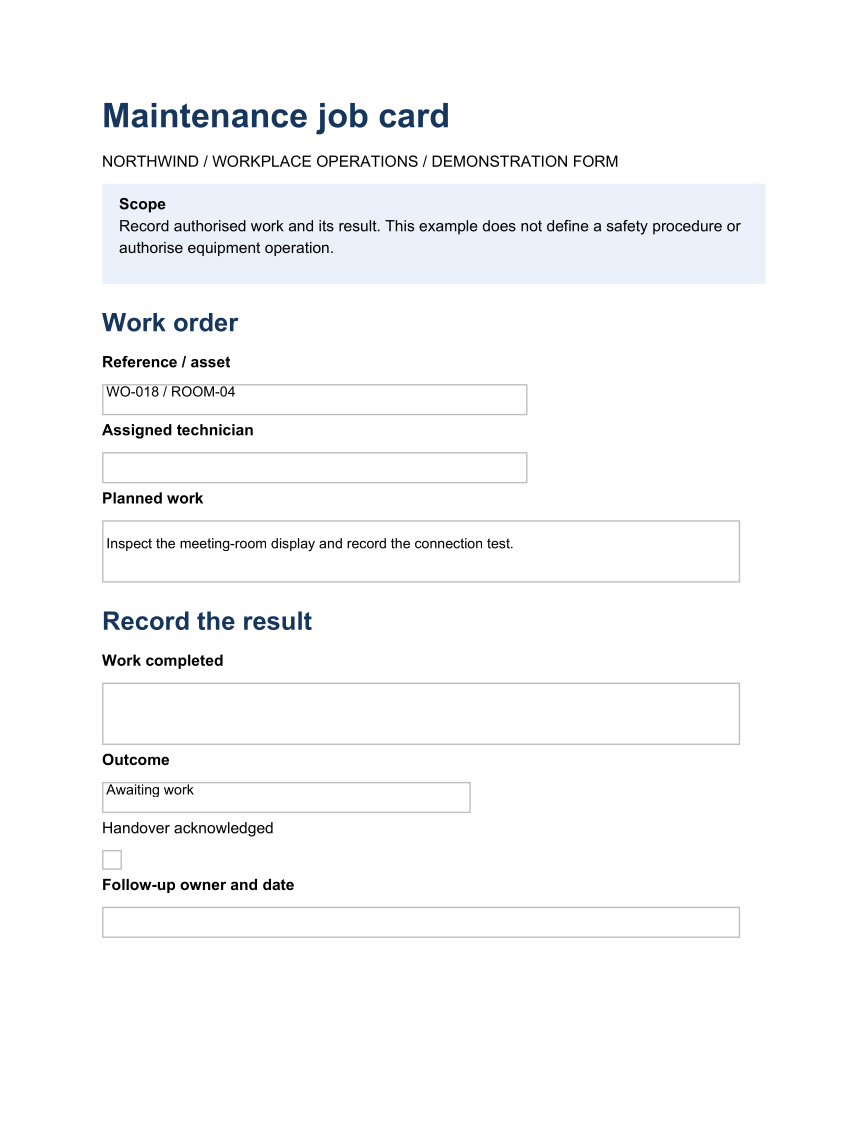
Collect the result of authorised work in a PDF viewer with form support.
Opens the generated download in a local browser tool. The C# example below creates the document.
- Start with
- Work order and completion record
- Generate
How it works
Identify the work
Keep the reference, asset and technician together.
Capture the outcome
Use named form fields and an initial Awaiting work state.
Close the handover
Record acknowledgement and follow-up ownership.
The C# source
The example below shows the document API and layout used for this report. Follow the PDF guide for package setup in your own project.
using OfficeIMO.Pdf;

namespace OfficeIMO.Examples.Showcase.Workflows {
    /// <summary>Creates a fillable maintenance job card with named work, outcome and handover fields.</summary>
    internal static class MaintenanceJobCard {
        internal static void Create(string folder) {
            var navy = PdfColor.FromRgb(23, 54, 93);
            PdfDocument.Create(pdf => pdf.Content(content => content
                .H1("Maintenance job card", PdfAlign.Left, navy)
                .Paragraph(p => p.Text("NORTHWIND / WORKPLACE OPERATIONS / DEMONSTRATION FORM"))
                .PanelParagraph(p => p.Bold("Scope").Text("\nRecord authorised work and its result. This example does not define a safety procedure or authorise equipment operation."),
                    new PdfPanelStyle { Background = PdfColor.FromRgb(234, 241, 251), PaddingX = 12, PaddingY = 10 })
                .H2("Work order", PdfAlign.Left, navy)
                .Paragraph(p => p.Bold("Reference / asset")).TextField("job-reference", width: 300, value: "WO-018 / ROOM-04")
                .Paragraph(p => p.Bold("Assigned technician")).TextField("technician", width: 300)
                .Paragraph(p => p.Bold("Planned work")).TextField("planned-work", width: 450, height: 44, value: "Inspect the meeting-room display and record the connection test.")
                .H2("Record the result", PdfAlign.Left, navy)
                .Paragraph(p => p.Bold("Work completed")).TextField("completed-work", width: 450, height: 44)
                .Paragraph(p => p.Bold("Outcome")).ChoiceField("outcome", new[] { "Awaiting work", "Completed", "Follow-up needed" }, value: "Awaiting work", width: 260)
                .Paragraph(p => p.Text("Handover acknowledged")).CheckBox("handover-acknowledged")
                .Paragraph(p => p.Bold("Follow-up owner and date")).TextField("follow-up", width: 450)),
                new PdfOptions { DefaultFontSize = 11 }.SetDefaultHeadingStyle(2, new PdfHeadingStyle { SpacingBefore = 14, SpacingAfter = 8 }))
                .Meta(title: "Maintenance job card", author: "OfficeIMO").Save(Path.Combine(folder, "example.pdf"));
        }
    }
}
API used in this example
Use this in your project
Replace the fields with your approved process; this example does not authorise work or define safety procedures.
The PDF guide explains package setup and related document APIs.
Documents and scope
What the preview shows
The C# source generates the downloadable file. The runner checks PDF text and pages; Poppler renders the page previews.
What to keep in mind
Replace the fields with your approved process; this example does not authorise work or define safety procedures.