PDF · C# walkthrough
Handbook with a linked contents page
Help readers return to the right procedure quickly in a document that also works as a printed handout.
Opens the generated download in a local browser tool. The C# example below creates the document.
- Start with
- Workshop stages, timings and follow-up guidance
- Generate
How it works
Declare the contents
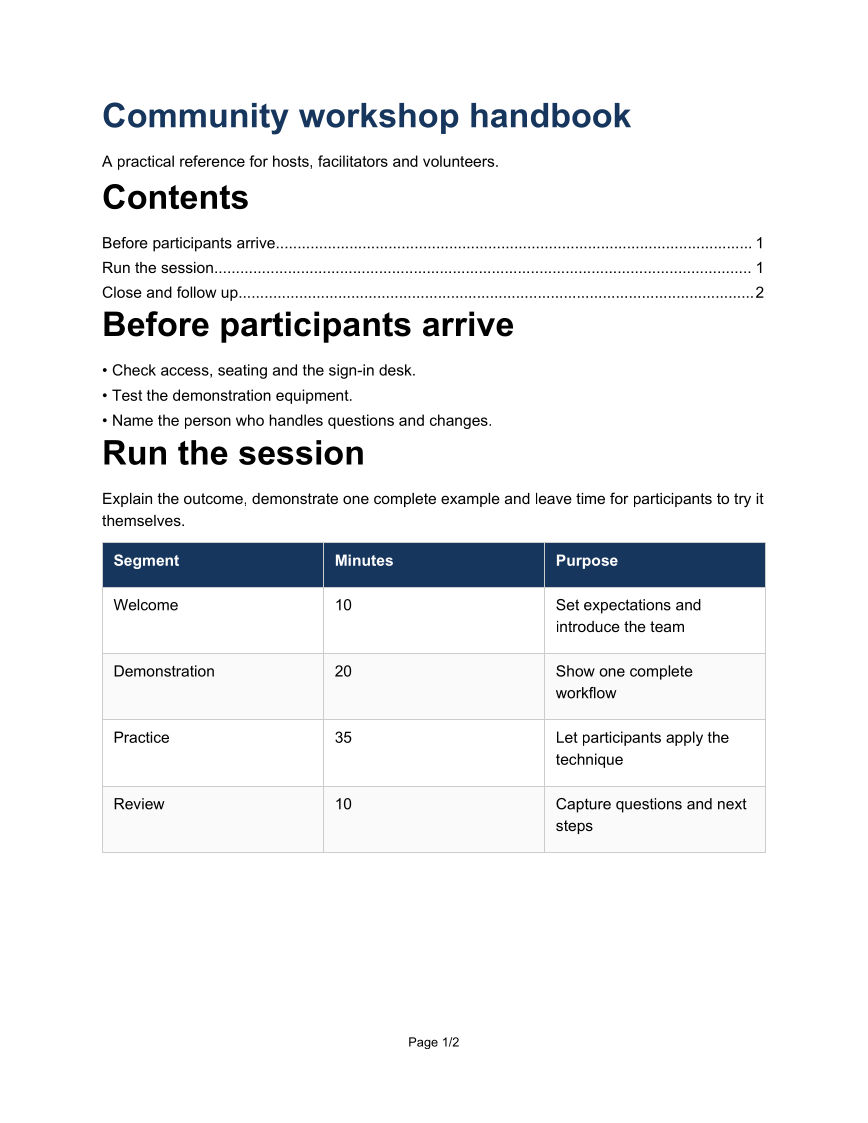
Place TableOfContents near the start so readers can see the document structure.
Create semantic sections
Wrap each stage in Section to supply the titles and destinations used by the contents and outline.
Control the handout break
Start the follow-up section on a new page and include page numbers for printed copies.
The rest of the document
The C# source
The example below shows the document API and layout used for this report. Follow the PDF guide for package setup in your own project.
using OfficeIMO.Pdf;

namespace OfficeIMO.Examples.Showcase.Workflows;

/// <summary>Authors a compact handbook with a generated table of contents and named sections.</summary>
internal static class NavigableHandbook {
    internal static void Create(string folder) {
        PdfDocument.Create(pdf => pdf.Content(content => content
            .Title("Community workshop handbook")
            .Subtitle("A practical reference for hosts, facilitators and volunteers.")
            .TableOfContents()
            .Section("Before participants arrive", section => section
                .AddList(new[] { "Check access, seating and the sign-in desk.", "Test the demonstration equipment.", "Name the person who handles questions and changes." }))
            .Section("Run the session", section => section
                .AddParagraph(p => p.AddText("Explain the outcome, demonstrate one complete example and leave time for participants to try it themselves."))
                .AddTable(new[] {
                    new[] { "Segment", "Minutes", "Purpose" },
                    new[] { "Welcome", "10", "Set expectations and introduce the team" },
                    new[] { "Demonstration", "20", "Show one complete workflow" },
                    new[] { "Practice", "35", "Let participants apply the technique" },
                    new[] { "Review", "10", "Capture questions and next steps" }
                }))
            .PageBreak()
            .Section("Close and follow up", section => section
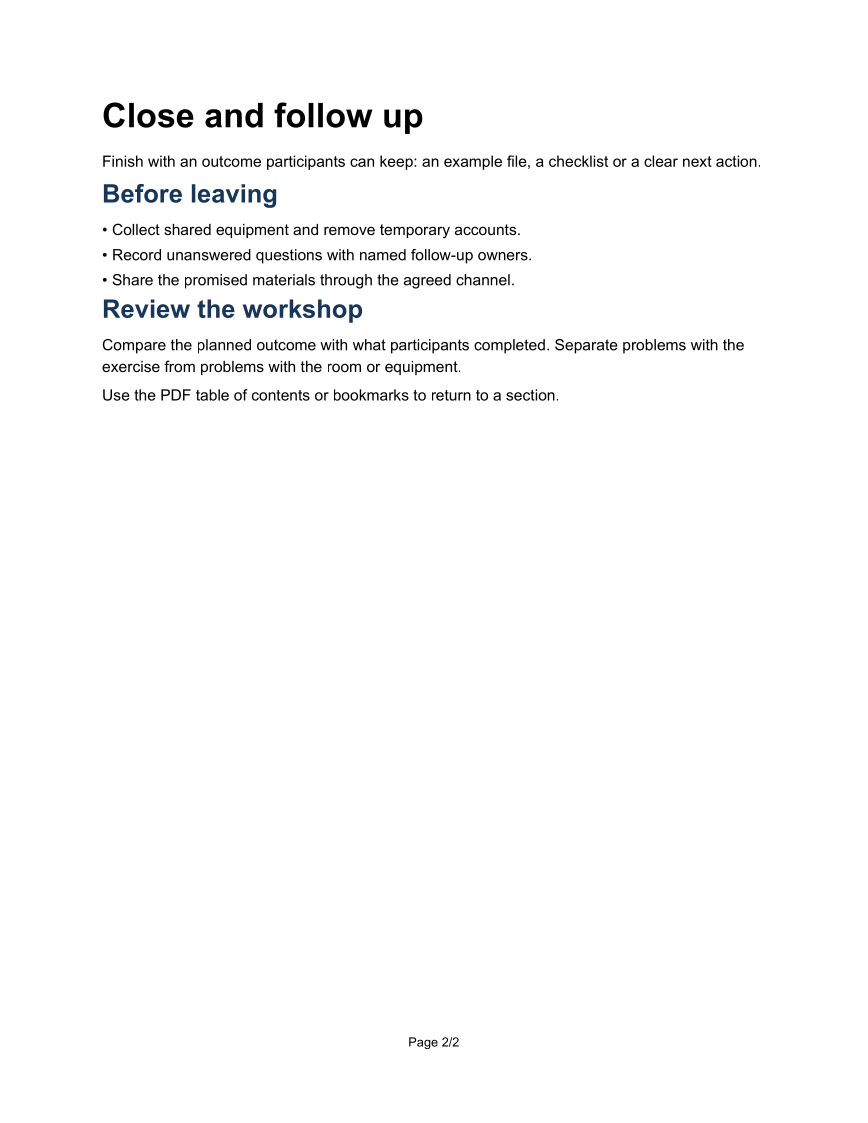
                .AddParagraph(p => p.AddText("Finish with an outcome participants can keep: an example file, a checklist or a clear next action."))
                .H2("Before leaving")
                .AddList(new[] { "Collect shared equipment and remove temporary accounts.", "Record unanswered questions with named follow-up owners.", "Share the promised materials through the agreed channel." })
                .H2("Review the workshop")
                .AddParagraph(p => p.AddText("Compare the planned outcome with what participants completed. Separate problems with the exercise from problems with the room or equipment."))
                .AddParagraph(p => p.AddText("Use the PDF table of contents or bookmarks to return to a section.")))),
            new PdfCreateOptions { PageSetup = { Footer = { Show = true } }, CreateOutlineFromHeadings = true, TaggedStructureMode = PdfTaggedStructureMode.CatalogMarkers, Language = "en-GB" })
            .Meta(title: "Community workshop handbook", author: "OfficeIMO")
            .Save(Path.Combine(folder, "example.pdf"));
    }
}
API used in this example
Use this in your project
Keep section titles short and distinct. Add chapters through Section instead of manually maintaining page numbers in a contents table.
The PDF guide explains package setup and related document APIs.
Documents and scope
What the preview shows
The linked C# example generates this file. The page images are rendered from the downloadable PDF with Poppler. Interactive structures are inspected separately from the static preview.
What to keep in mind
The generated PDF contains the navigation structure. Static page images show the layout; viewer-specific bookmark panels are not pictured.