PDF · C# walkthrough
Travel itinerary and arrival brief
Give a traveller a compact schedule without exposing private booking references.
Opens the generated download in a local browser tool. The C# example below creates the document.
- Start with
- Travel plan and workshop arrangements
- Generate
How it works
Label the time zone
Make the local-time convention visible above the schedule.
Group each day
Separate arrival, workshop and departure commitments.
Prepare the handover
Include arrangements and the route for changes.
The C# source
The example below shows the document API and layout used for this report. Follow the PDF guide for package setup in your own project.
using OfficeIMO.Pdf;

namespace OfficeIMO.Examples.Showcase.Workflows {
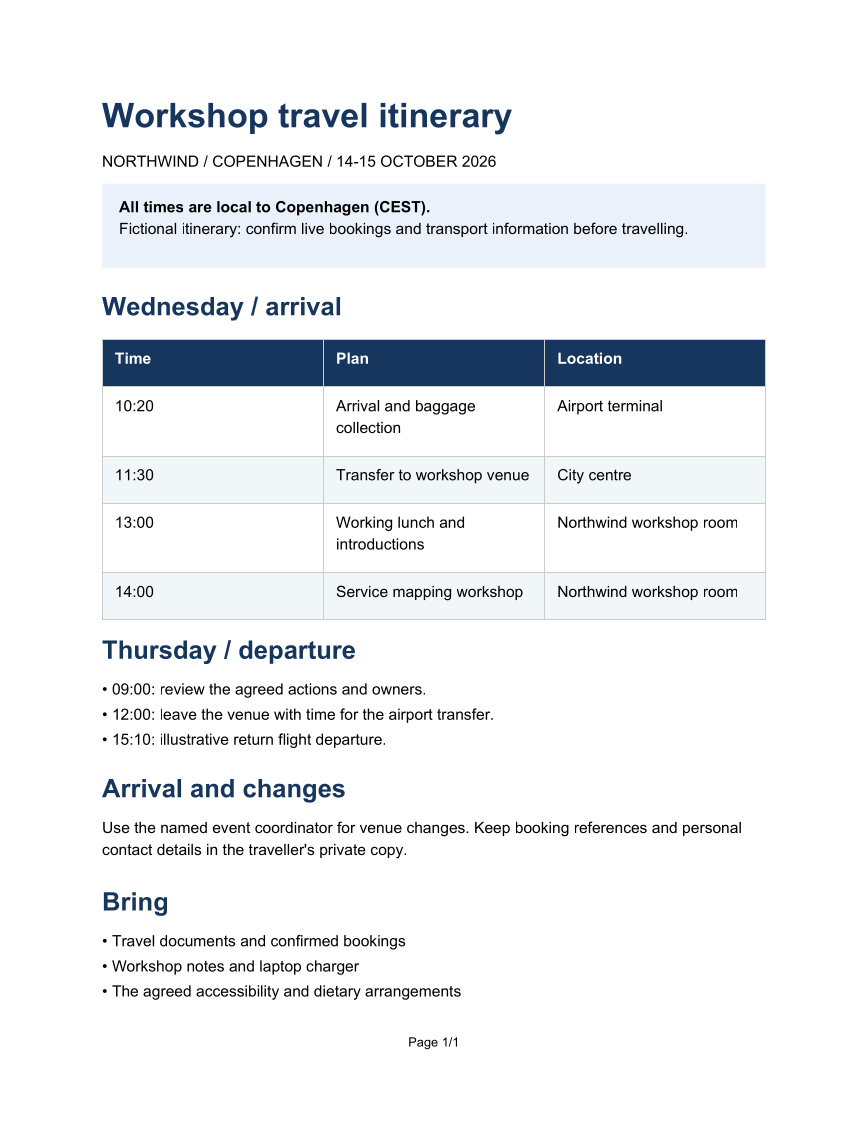
    /// <summary>Creates a travel handover with an itinerary, arrival instructions and clear time-zone labels.</summary>
    internal static class TravelItinerary {
        internal static void Create(string folder) {
            var navy = PdfColor.FromRgb(23, 54, 93);
            PdfDocument.Create(pdf => pdf.Content(content => content
                .H1("Workshop travel itinerary", PdfAlign.Left, navy)
                .Paragraph(p => p.Text("NORTHWIND / COPENHAGEN / 14-15 OCTOBER 2026"))
                .PanelParagraph(p => p.Bold("All times are local to Copenhagen (CEST).\n").Text("Fictional itinerary: confirm live bookings and transport information before travelling."),
                    new PdfPanelStyle { Background = PdfColor.FromRgb(234, 241, 251), PaddingX = 12, PaddingY = 12 })
                .H2("Wednesday / arrival", PdfAlign.Left, navy)
                .Table(new[] {
                    new[] { "Time", "Plan", "Location" },
                    new[] { "10:20", "Arrival and baggage collection", "Airport terminal" },
                    new[] { "11:30", "Transfer to workshop venue", "City centre" },
                    new[] { "13:00", "Working lunch and introductions", "Northwind workshop room" },
                    new[] { "14:00", "Service mapping workshop", "Northwind workshop room" }
                }, style: new PdfTableStyle { HeaderFill = navy, HeaderTextColor = PdfColor.White, HeaderRowCount = 1, CellPaddingX = 9, CellPaddingY = 9, RowStripeFill = PdfColor.FromRgb(241, 245, 249) })
                .H2("Thursday / departure", PdfAlign.Left, navy)
                .Bullets(new[] { "09:00: review the agreed actions and owners.", "12:00: leave the venue with time for the airport transfer.", "15:10: illustrative return flight departure." })
                .H2("Arrival and changes", PdfAlign.Left, navy)
                .Paragraph(p => p.Text("Use the named event coordinator for venue changes. Keep booking references and personal contact details in the traveller's private copy."))
                .H2("Bring", PdfAlign.Left, navy)
                .Bullets(new[] { "Travel documents and confirmed bookings", "Workshop notes and laptop charger", "The agreed accessibility and dietary arrangements" })),
                new PdfOptions { DefaultFontSize = 11, ShowPageNumbers = true }.SetDefaultHeadingStyle(2, new PdfHeadingStyle { SpacingBefore = 14, SpacingAfter = 8 }))
                .Meta(title: "Workshop travel itinerary", author: "OfficeIMO").Save(Path.Combine(folder, "example.pdf"));
        }
    }
}
API used in this example
Use this in your project
Confirm bookings and current transport information; keep personal references in a private copy.
The PDF guide explains package setup and related document APIs.
Documents and scope
What the preview shows
The C# source generates the downloadable file. The runner checks PDF text and pages; Poppler renders the page previews.
What to keep in mind
Confirm bookings and current transport information; keep personal references in a private copy.