PowerPoint · C# walkthrough
PowerPoint playbook with linked paths
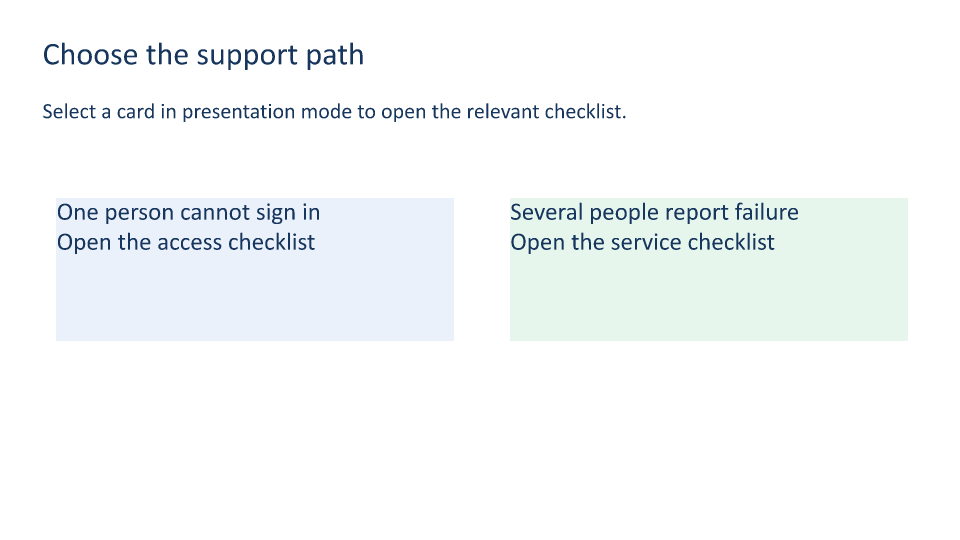
Let a presenter choose the relevant checklist instead of stepping through every slide in sequence.
Opens the generated download in a local browser tool. The C# example below creates the document.
- Start with
- Two support scenarios and their checklists
- Generate
- PPTX + PDF
How it works
Create the target slides
Add the menu and both checklist slides before wiring their links.
Link the choice cards
Call SetHyperlink with a PowerPointSlide target and a descriptive tooltip on each menu card.
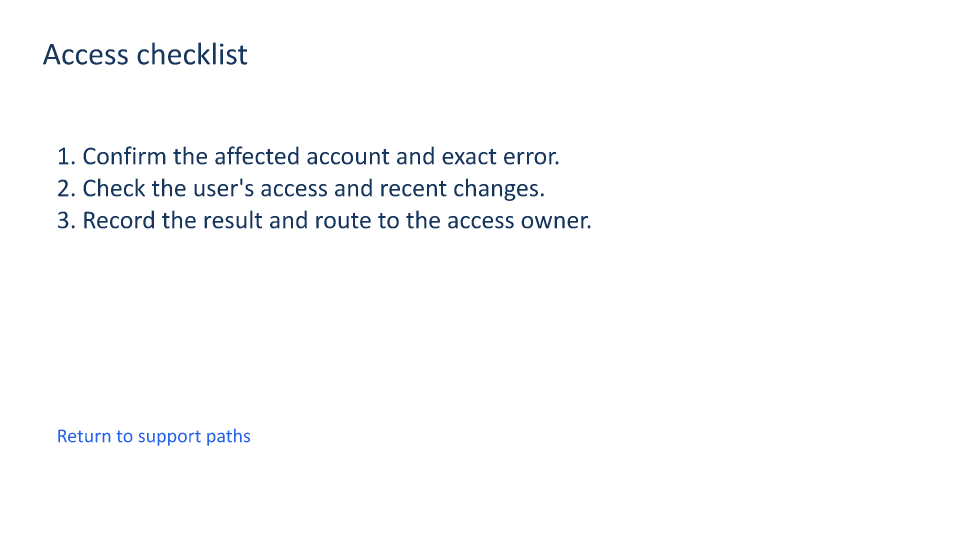
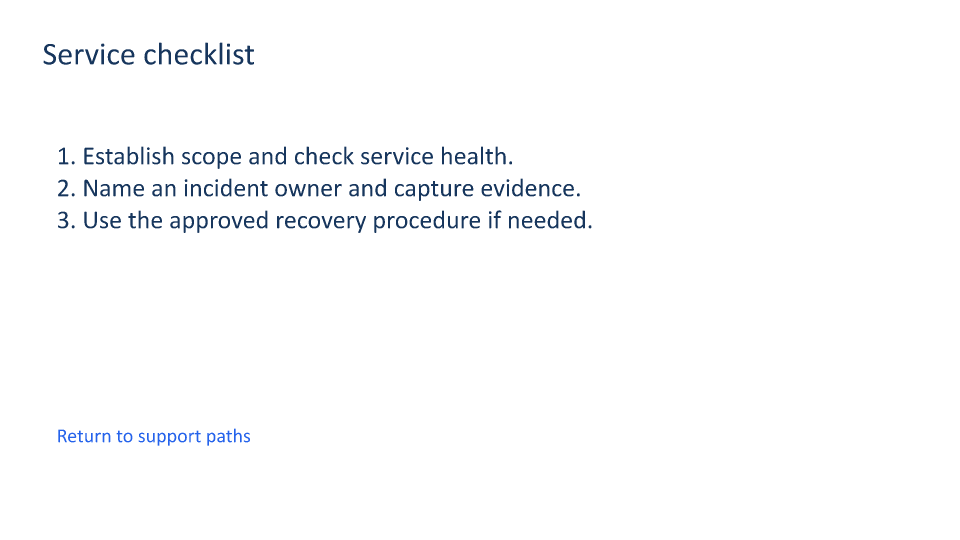
Provide a return path
Add a link from each checklist back to the menu and keep the visible label clear.
The rest of the document
The C# source
The example below shows the document API and layout used for this report. Follow the PowerPoint guide for package setup in your own project.
using OfficeIMO.PowerPoint;

namespace OfficeIMO.Examples.Showcase.Workflows;

/// <summary>Creates a slide-based support playbook with internal links and return navigation.</summary>
internal static class BranchingPlaybook {
    internal static void Create(string folder) {
        using var deck = PowerPointDocument.Create(Path.Combine(folder, "example.pptx"));
        var menu = deck.AddSlide(); var access = deck.AddSlide(); var service = deck.AddSlide();
        Title(menu, "Choose the support path");
        Text(menu, "Select a card in presentation mode to open the relevant checklist.", 1.5, 3.5, 30, 2, 22);
        var accessLink = menu.AddTextBox("One person cannot sign in\nOpen the access checklist",global::OfficeIMO.OfficeLength.Centimeters(2),global::OfficeIMO.OfficeLength.Centimeters(7),global::OfficeIMO.OfficeLength.Centimeters(14),global::OfficeIMO.OfficeLength.Centimeters(5));
        accessLink.FontSize = global::OfficeIMO.OfficeLength.Points(25); accessLink.Color = OfficeColor.Parse("17365D"); accessLink.FillColor = "EAF1FB";
        accessLink.SetHyperlink(access, "Open the access checklist");
        var serviceLink = menu.AddTextBox("Several people report failure\nOpen the service checklist",global::OfficeIMO.OfficeLength.Centimeters(18),global::OfficeIMO.OfficeLength.Centimeters(7),global::OfficeIMO.OfficeLength.Centimeters(14),global::OfficeIMO.OfficeLength.Centimeters(5));
        serviceLink.FontSize = global::OfficeIMO.OfficeLength.Points(25); serviceLink.Color = OfficeColor.Parse("17365D"); serviceLink.FillColor = "E7F6ED";
        serviceLink.SetHyperlink(service, "Open the service checklist");
        Title(access, "Access checklist");
        Text(access, "1. Confirm the affected account and exact error.\n2. Check the user's access and recent changes.\n3. Record the result and route to the access owner.", 2, 5, 29, 8, 26);
        Title(service, "Service checklist");
        Text(service, "1. Establish scope and check service health.\n2. Name an incident owner and capture evidence.\n3. Use the approved recovery procedure if needed.", 2, 5, 29, 8, 26);
        foreach (var slide in new[] { access, service }) {
            var back = slide.AddTextBox("Return to support paths",global::OfficeIMO.OfficeLength.Centimeters(2),global::OfficeIMO.OfficeLength.Centimeters(15),global::OfficeIMO.OfficeLength.Centimeters(16),global::OfficeIMO.OfficeLength.Centimeters(2));
            back.FontSize = global::OfficeIMO.OfficeLength.Points(20); back.Color = OfficeColor.Parse("2563EB"); back.SetHyperlink(menu, "Return to support paths");
        }
        menu.Notes.Text = "The cards are internal slide links. PDF and PNG review copies do not demonstrate presentation-mode behavior.";
        deck.Save();

        void Title(PowerPointSlide slide, string value) => Text(slide, value, 1.5, 1.3, 30, 2, 32);
        void Text(PowerPointSlide slide, string value, double x, double y, double width, double height, int size) {
            var box = slide.AddTextBox(value,global::OfficeIMO.OfficeLength.Centimeters(x),global::OfficeIMO.OfficeLength.Centimeters(y),global::OfficeIMO.OfficeLength.Centimeters(width),global::OfficeIMO.OfficeLength.Centimeters(height)); box.FontSize = global::OfficeIMO.OfficeLength.Points(size); box.Color = OfficeColor.Parse("17365D");
        }
    }
}
API used in this example
Use this in your project
Replace the scenarios and add more target slides as needed. Keep the menu concise and provide a return link from every branch.
The PowerPoint guide explains package setup and related document APIs.
Documents and scope
What the preview shows
The linked C# example generates this file. The runner reopens and validates the PPTX, then exports each slide and a PDF review copy.
What to keep in mind
The PPTX contains internal slide relationships. The static previews do not prove presentation-mode interaction in Microsoft PowerPoint.