PowerPoint · C# walkthrough
A short training quiz deck
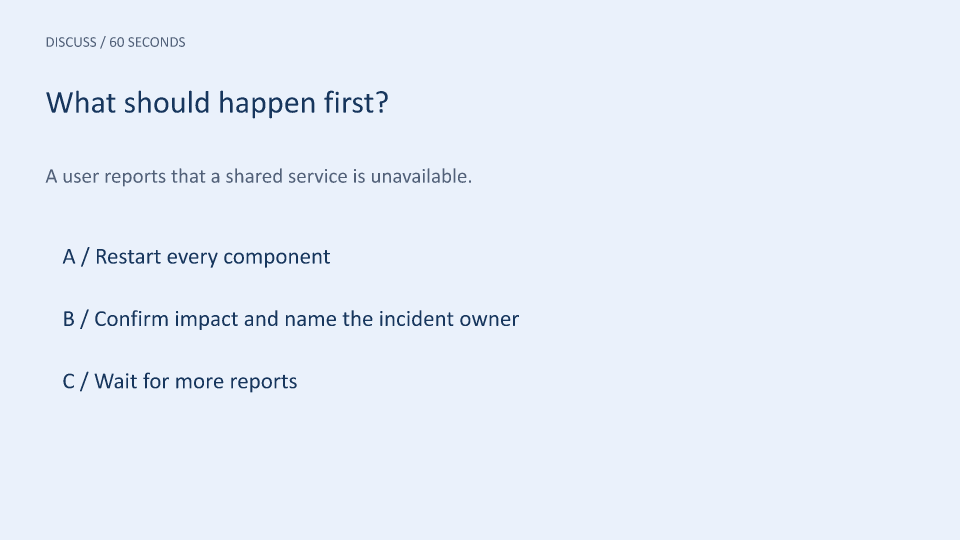
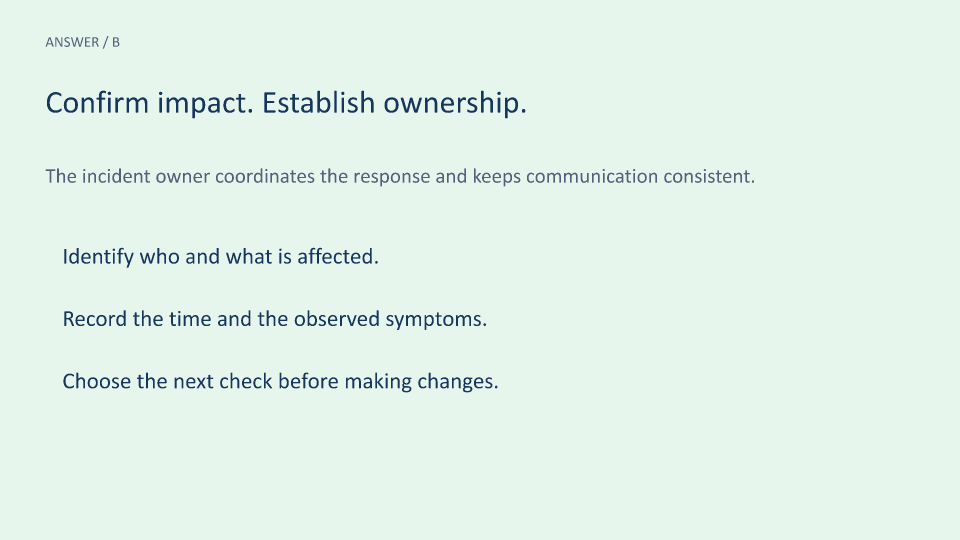
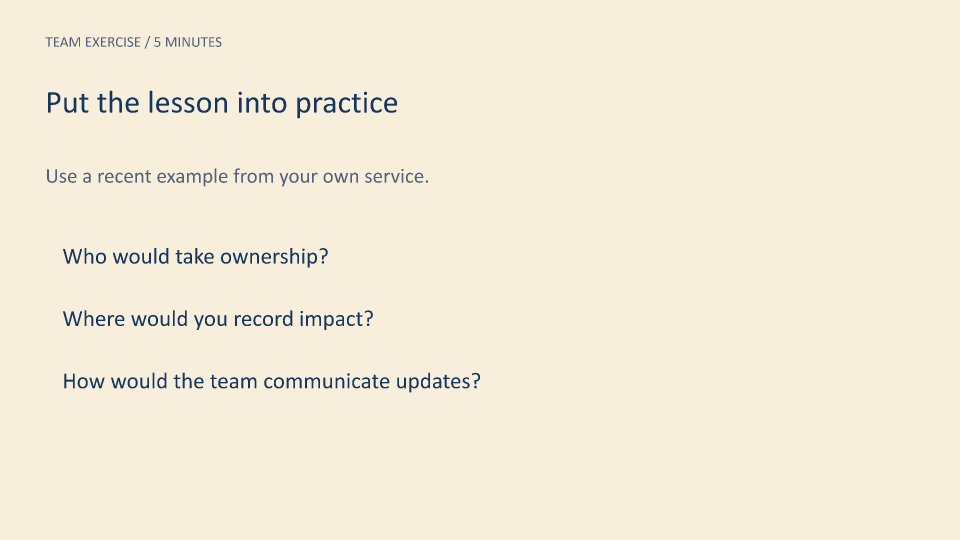
Create a short teaching sequence that separates the question from its answer. A third slide turns the explanation into a team exercise.
Opens the generated download in a local browser tool. The C# example below creates the document.
- Start with
- A training question, explanation, and discussion prompts
- Generate
- PPTX + PDF
How it works
Describe each teaching moment
Supply a title, explanation, point list, label, and background color to a local slide-building function.
Keep the text native
Use editable text boxes so a trainer can revise the question and discussion prompts in PowerPoint.
Review the sequence
Inspect the question, answer, and exercise previews in order. The PDF provides a convenient read-through copy.
The rest of the document
The C# source
The example below shows the document API and layout used for this report. Follow the PowerPoint guide for package setup in your own project.
using System.IO;
using OfficeIMO.PowerPoint;

namespace OfficeIMO.Examples.Showcase.Workflows;

/// <summary>Creates a short question-and-answer deck from structured training content.</summary>
internal static class TrainingQuiz {
    internal static void Create(string folder) {
        using PowerPointDocument deck = PowerPointDocument.Create(Path.Combine(folder, "example.pptx"));
        AddSlide("What should happen first?",
            "A user reports that a shared service is unavailable.",
            new[] { "A / Restart every component", "B / Confirm impact and name the incident owner", "C / Wait for more reports" },
            "DISCUSS / 60 SECONDS", "EAF1FB");
        AddSlide("Confirm impact. Establish ownership.",
            "The incident owner coordinates the response and keeps communication consistent.",
            new[] { "Identify who and what is affected.", "Record the time and the observed symptoms.", "Choose the next check before making changes." },
            "ANSWER / B", "E7F6ED");
        AddSlide("Put the lesson into practice",
            "Use a recent example from your own service.",
            new[] { "Who would take ownership?", "Where would you record impact?", "How would the team communicate updates?" },
            "TEAM EXERCISE / 5 MINUTES", "F7EEDC");
        deck.Save();

        void AddSlide(string title, string description, string[] points, string label, string fill) {
            PowerPointSlide slide = deck.AddSlide();
            slide.AddRectangle(OfficeIMO.OfficeLength.Centimeters(0), OfficeIMO.OfficeLength.Centimeters(0), OfficeIMO.OfficeLength.Centimeters(33.866), OfficeIMO.OfficeLength.Centimeters(19.05), "Background").Fill(fill).Stroke(fill, global::OfficeIMO.OfficeLength.Points(0));
            var eyebrow = slide.AddTextBox(label,global::OfficeIMO.OfficeLength.Centimeters(1.6),global::OfficeIMO.OfficeLength.Centimeters(1.2),global::OfficeIMO.OfficeLength.Centimeters(29),global::OfficeIMO.OfficeLength.Centimeters(1));
            eyebrow.FontSize = global::OfficeIMO.OfficeLength.Points(15);
            eyebrow.Color = OfficeColor.Parse("526179");
            var heading = slide.AddTextBox(title,global::OfficeIMO.OfficeLength.Centimeters(1.6),global::OfficeIMO.OfficeLength.Centimeters(3),global::OfficeIMO.OfficeLength.Centimeters(29),global::OfficeIMO.OfficeLength.Centimeters(2.3));
            heading.FontSize = global::OfficeIMO.OfficeLength.Points(32);
            heading.Color = OfficeColor.Parse("17365D");
            var introduction = slide.AddTextBox(description,global::OfficeIMO.OfficeLength.Centimeters(1.6),global::OfficeIMO.OfficeLength.Centimeters(5.8),global::OfficeIMO.OfficeLength.Centimeters(29),global::OfficeIMO.OfficeLength.Centimeters(2));
            introduction.FontSize = global::OfficeIMO.OfficeLength.Points(21);
            introduction.Color = OfficeColor.Parse("526179");
            for (int index = 0; index < points.Length; index++) {
                var point = slide.AddTextBox(points[index],global::OfficeIMO.OfficeLength.Centimeters(2.2),global::OfficeIMO.OfficeLength.Centimeters(8.6 + index * 2.2),global::OfficeIMO.OfficeLength.Centimeters(28),global::OfficeIMO.OfficeLength.Centimeters(1.7));
                point.FontSize = global::OfficeIMO.OfficeLength.Points(23);
                point.Color = OfficeColor.Parse("17365D");
            }
        }
    }
}
API used in this example
Use this in your project
Generate several sequences from a question catalog, or add a facilitator-notes workflow in your application. Keep each prompt short enough to discuss from the slide.
The PowerPoint guide explains package setup and related document APIs.
Documents and scope
What the preview shows
The linked C# example generates this file. The runner reopens and validates the PPTX, then exports each slide and a PDF review copy.
What to keep in mind
This is a static presentation. It does not score answers, record attendance, or implement clickable quiz branching.