RTF · C# walkthrough
Portable RTF support bulletin
Give a support team a compact document that can be edited in software accepting RTF and shared as a PDF review copy.
- Start with
- A support symptom, diagnostic steps and evidence fields
- Generate
- RTF + PDF
How it works
Format the headings
Apply font size, bold text, color and paragraph spacing through the native RTF paragraph and run APIs.
Write the diagnostic sequence
Add the symptom, an ordered sequence expressed as bullets and a table describing useful evidence.
Save and reopen the RTF
Serialize the document, then let the runner load the saved RTF and convert it to PDF.
The C# source
The example below shows the document API and layout used for this report. Follow the RTF guide for package setup in your own project.
using OfficeIMO.Rtf;

namespace OfficeIMO.Examples.Showcase.Workflows;

/// <summary>Creates a compact RTF support bulletin with formatted headings and structured troubleshooting steps.</summary>
internal static class SupportBulletin {
    internal static void Create(string folder) {
        RtfDocument document = RtfDocument.Create();
        document.Properties.Title = "Support bulletin: delayed request notifications";
        document.Properties.Author = "OfficeIMO";
        int navy = document.AddColor(23, 54, 93), fill = document.AddColor(232, 238, 248);
        Heading("Delayed request notifications", 22);
        document.AddParagraph("SUPPORT BULLETIN / SB-014 / ILLUSTRATIVE SERVICE SCENARIO");
        Heading("Recognize the symptom");
        document.AddParagraph("A request appears in the portal, but its email acknowledgement arrives later than expected. Check the request record before asking the user to submit it again.");
        Heading("Check in this order");
        foreach (string step in new[] {
            "Confirm the request identifier and submission time.",
            "Check whether the notification is queued, delivered or rejected.",
            "Record the delivery result and route unresolved cases to the messaging owner."
        }) document.AddParagraph(step).SetList(kind: RtfListKind.Bullet).SetIndentation(leftTwips: 720, firstLineTwips: -360);
        Heading("Record enough evidence");
        var table = document.AddTable(4, 2); table.Rows[0].RepeatHeader = true; table.Rows[0].SetBackgroundColor(fill);
        string[,] rows = {
            { "Field", "Why it matters" },
            { "Request ID", "Finds the original service record" },
            { "Submission time", "Matches the notification event" },
            { "Delivery result", "Separates delay from rejection" }
        };
        for (int row = 0; row < 4; row++) for (int column = 0; column < 2; column++) table.Rows[row].Cells[column].AddParagraph(rows[row, column]);
        Heading("Close the loop");
        document.AddParagraph("Tell the user whether the request was received and when to expect the next update. Avoid including personal message content in the support record.");
        File.WriteAllText(Path.Combine(folder, "example.rtf"), document.ToRtf());

        void Heading(string text, double size = 14) {
            var paragraph = document.AddParagraph(text);
            paragraph.SpaceBeforeTwips = 160;
            paragraph.SpaceAfterTwips = 100;
            foreach (var run in paragraph.Runs) {
                run.FontSize = size;
                run.Bold = true;
                run.ForegroundColorIndex = navy;
            }
        }
    }
}
API used in this example
Use this in your project
Replace the fictional symptom with a verified support procedure. Keep the record focused on identifiers and outcomes rather than personal message content.
The RTF guide explains package setup and related document APIs.
Documents and scope
What the preview shows
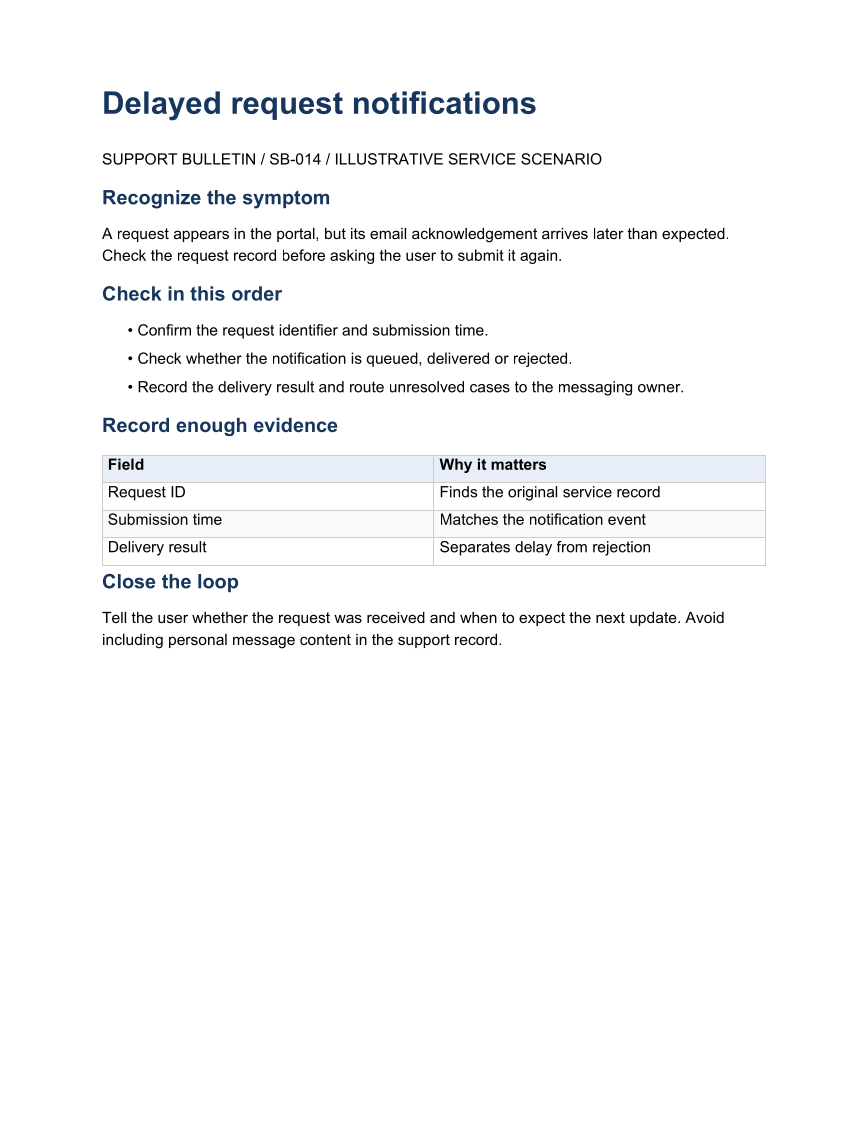
The linked C# example generates this file. The runner reloads the saved RTF and exports it to PDF. Each PDF page is rendered for review.
What to keep in mind
The example is an illustrative support procedure. PDF conversion demonstrates the supported RTF content in this file, not every RTF feature.