Visio · C# walkthrough
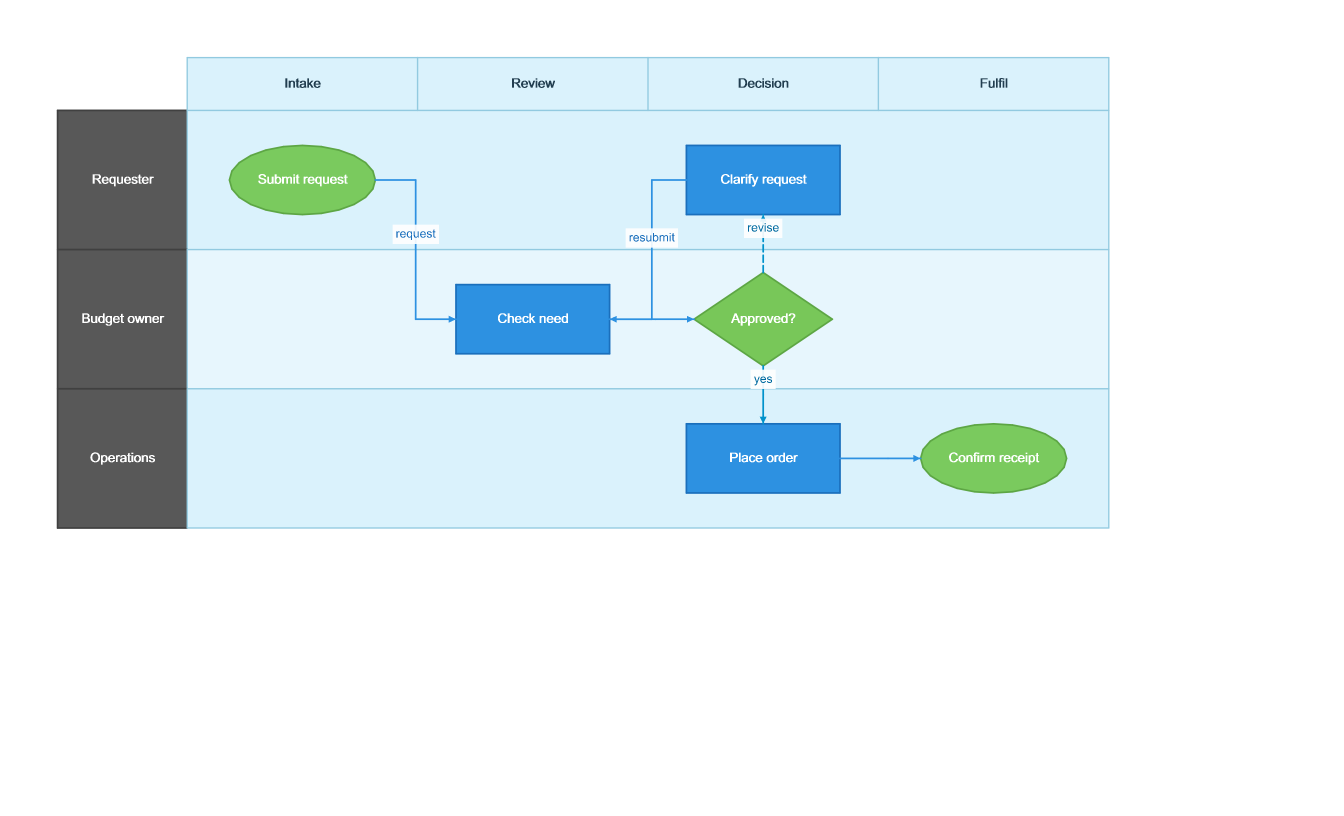
Purchase approval swimlane
Make ownership changes and the revision path visible in one diagram instead of describing them only in prose.
- Start with
- Approval roles, process steps and labeled transitions
- Generate
- VSDX + SVG
How it works
Define the grid
Declare the requester, budget owner and operations lanes, then add intake, review, decision and fulfilment phases.
Place the steps
Use typed start, step, decision and end nodes with their lane and phase identifiers.
Connect the outcomes
Add the approval handoff and an explicit revision path back to review. Reopen the VSDX before rendering PNG and SVG.
The C# source
The example below shows the document API and layout used for this report. Follow the Visio guide for package setup in your own project.
using OfficeIMO.Visio;
using OfficeIMO.Visio.Diagrams;

namespace OfficeIMO.Examples.Showcase.Workflows;

/// <summary>Maps a purchase approval across requester, budget owner and operations with an explicit revision path.</summary>
internal static class ApprovalSwimlane {
    internal static void Create(string folder) {
        var document = VisioDocument.Create(Path.Combine(folder, "example.vsdx"))
            .SwimlaneDiagram("Purchase approval", swim => swim
                .Theme(VisioStyleTheme.Modern())
                .Lane("requester", "Requester").Lane("owner", "Budget owner").Lane("operations", "Operations")
                .Phase("intake", "Intake").Phase("review", "Review").Phase("decision", "Decision").Phase("fulfil", "Fulfil")
                .Start("submit", "Submit request", "requester", "intake")
                .Step("check", "Check need", "owner", "review")
                .Decision("approve", "Approved?", "owner", "decision")
                .Step("revise", "Clarify request", "requester", "decision")
                .Step("order", "Place order", "operations", "decision")
                .End("receive", "Confirm receipt", "operations", "fulfil")
                .Flow("submit", "check", "request").Flow("check", "approve")
                .Exception("approve", "revise", "revise").Handoff("approve", "order", "yes")
                .Flow("revise", "check", "resubmit").Flow("order", "receive"));
        document.Save();
    }
}
API used in this example
Use this in your project
Use stable identifiers for nodes and replace the sample roles with actual owners. Keep exception labels concise so the path stays readable.
The Visio guide explains package setup and related document APIs.
Documents and scope
What the preview shows
The linked C# example generates this file. The runner reloads the VSDX, checks the authoring model and renders the saved diagram to PNG and SVG.
What to keep in mind
The VSDX is validated and rendered by OfficeIMO. The preview does not demonstrate editing or routing behavior in desktop Visio.