Visio · C# walkthrough
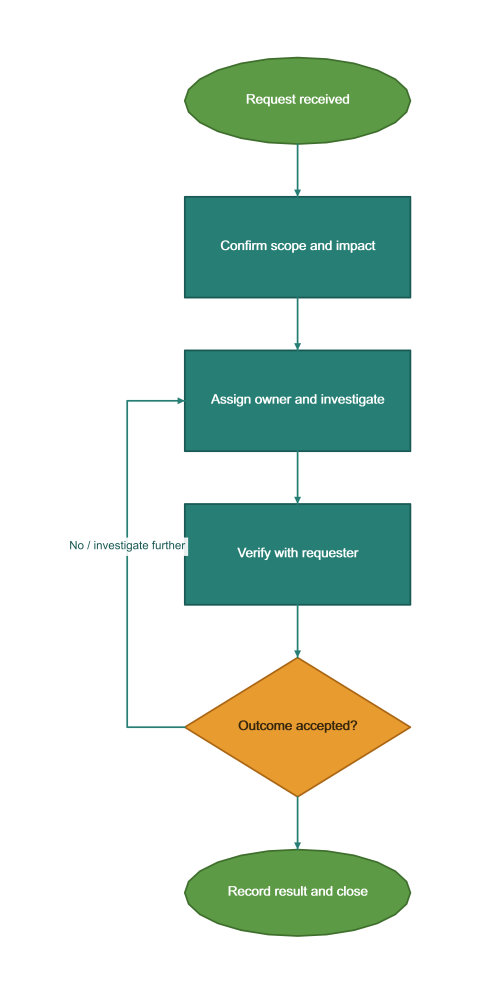
Support triage flow
Show how a request returns to investigation when the outcome is not accepted.
- Start with
- Support states and acceptance decision
- Generate
- VSDX
How it works
Order the supported path
Start at intake and finish with a recorded outcome.
Make the loop visible
Route a No decision back to investigation.
Fit the page
Keep branch routing and content within the exported diagram.
The C# source
The example below shows the document API and layout used for this report. Follow the Visio guide for package setup in your own project.
using OfficeIMO.Visio;
using OfficeIMO.Visio.Diagrams;

namespace OfficeIMO.Examples.Showcase.Workflows {
    /// <summary>Maps a support request from intake through verification, including the investigation loop.</summary>
    internal static class TriageFlow {
        internal static void Create(string folder) {
            var document = VisioDocument.Create(Path.Combine(folder, "example.vsdx"))
                .Flowchart("Support triage", flow => flow
                    .Theme(VisioStyleTheme.Process()).RouteBranches(laneSpacing: 0.6)
                    .Start("received", "Request received")
                    .Step("classify", "Confirm scope and impact")
                    .Step("investigate", "Assign owner and investigate")
                    .Step("verify", "Verify with requester")
                    .Decision("resolved", "Outcome accepted?")
                    .End("closed", "Record result and close")
                    .Branch("resolved", "No / investigate further", "investigate"));
            document.Pages[0].FitToContent(0.7, 0.6);
            document.Save();
        }
    }
}
API used in this example
Use this in your project
Adapt the states and escalation rules to the service; the diagram does not execute tickets or changes.
The Visio guide explains package setup and related document APIs.
Documents and scope
What the preview shows
The C# source generates the downloadable file. The runner validates the diagram and exports native PNG and SVG previews.
What to keep in mind
Adapt the states and escalation rules to the service; the diagram does not execute tickets or changes.